

You can add free-form custom messages to a alert notifications to be delivered along with the alert detail generated by the platform. These messages can be customized per recipient on the alert.
Add Custom Message
-
Click or tap on the Alert (bell) icon for any sensor or gateway, and select an existing alert from the list, or begin creating a new alert.
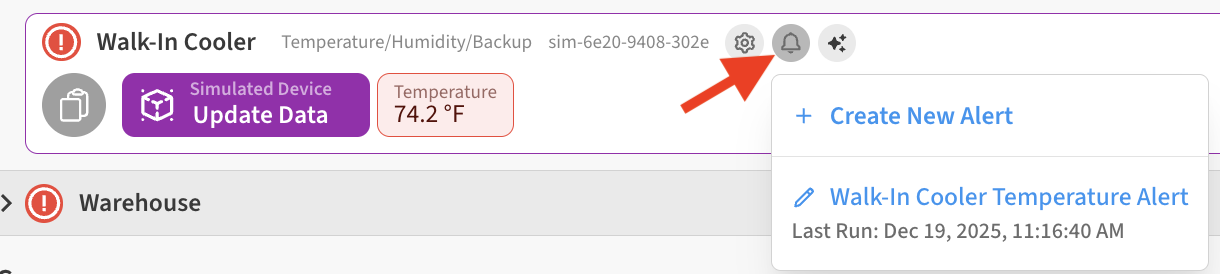
-
In the Notify Contact area on the Alert’s Settings tab, Click the Edit (pencil) icon to open for editing.

-
Click the Custom Message icon next to any alert notification recipient.
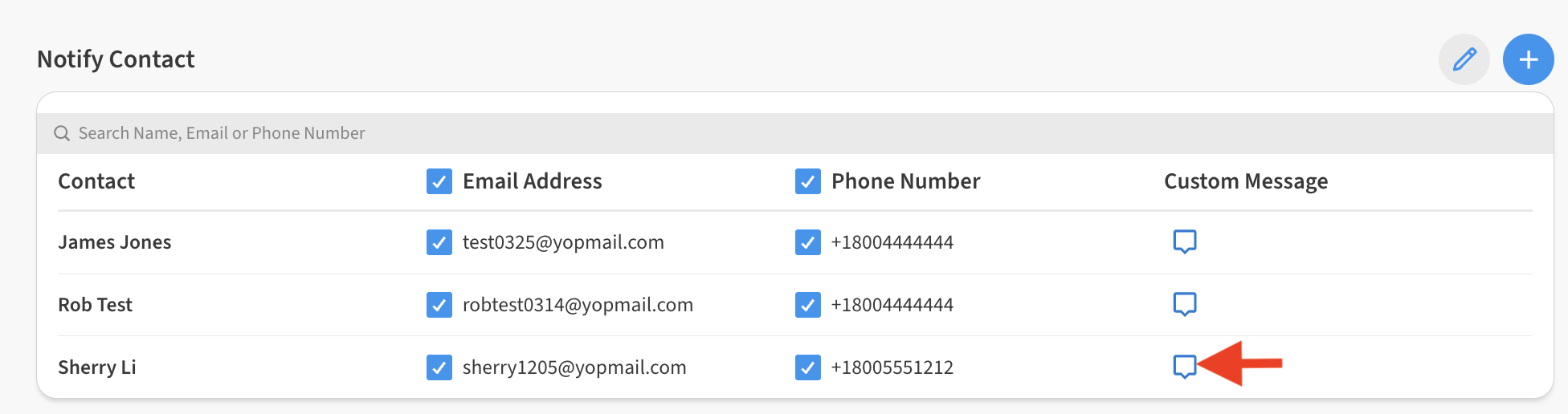
-
Enter the desired custom message in the text field that appears.

-
Click Save to save the alert.
Viewing custom messages on alert notifications
The next time the alert triggers and generates notifications, the custom message you set up will be included in email notifications for the user(s) where it was entered.
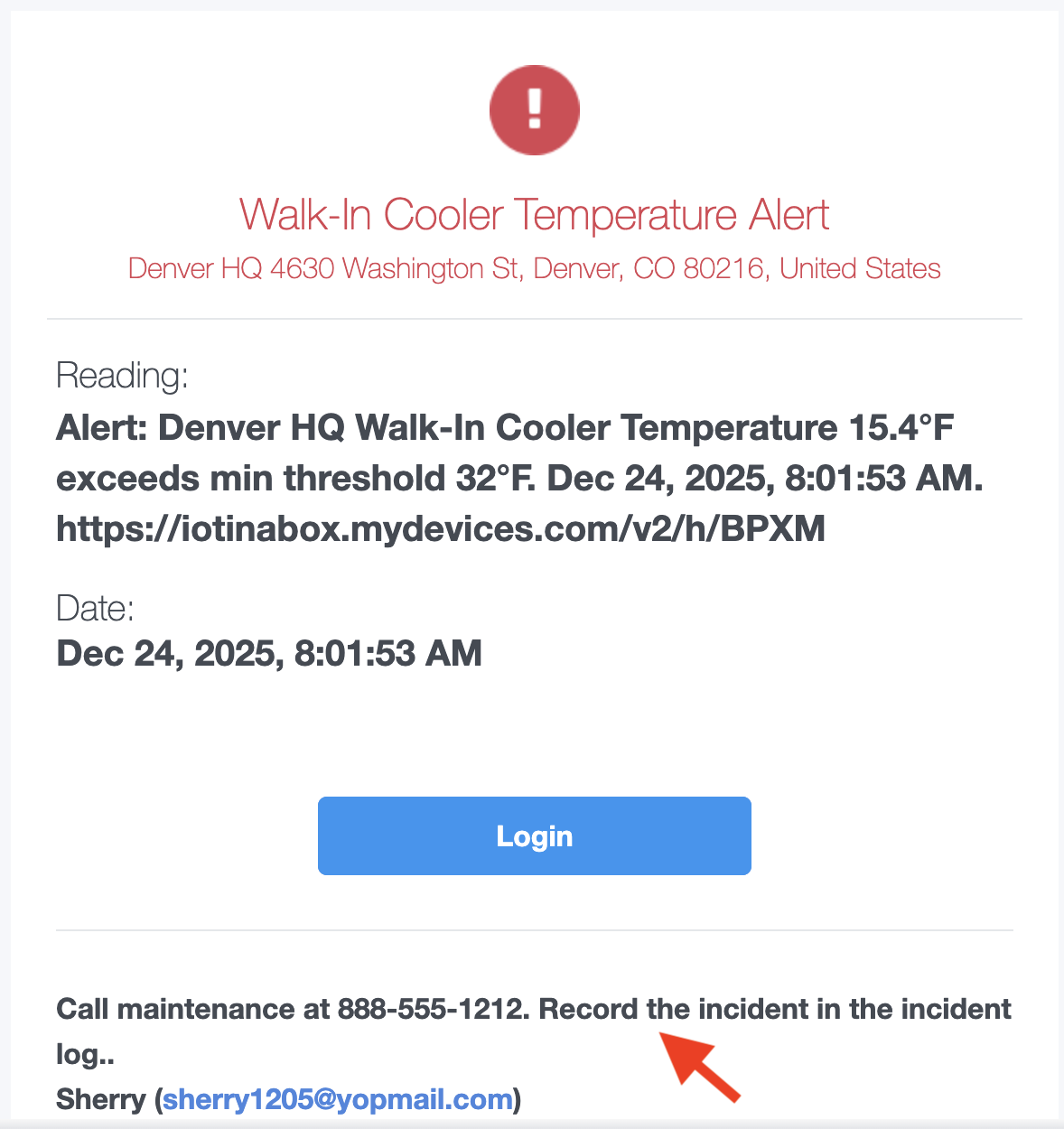
Alert Notification custom messages are included with email notifications only. Text message (SMS) notification recipients will not get these messages.