

The information shown here also applies to other Dragino devices that use this same base hardware along with different sensor modules. Examples include:
Dragino LDDS20 Liquid Level
Dragino LSN50v2
Dragino LSN50v2
Dragino LDDS45, LDDS75
Dragino LDS03
Dragino CPL01 Outdoor Pulse Contact Sensor
Dragino LoRaWAN Leaf Moisture Sensor LLMS01
Dragino LoRaWAN Soil pH Sensor LSPH01
Dragino LDDS04 LoRaWAN 4-Channels Distance Sensor
Dragino LLDS12
Activation
-
Remove the screws and the sensor cover and the to access the circuit board inside the sensor
-
Remove the yellow jumper and place it on both pins. You’ll see an LED blink on the mother board when the jumper is placed in that orientation.
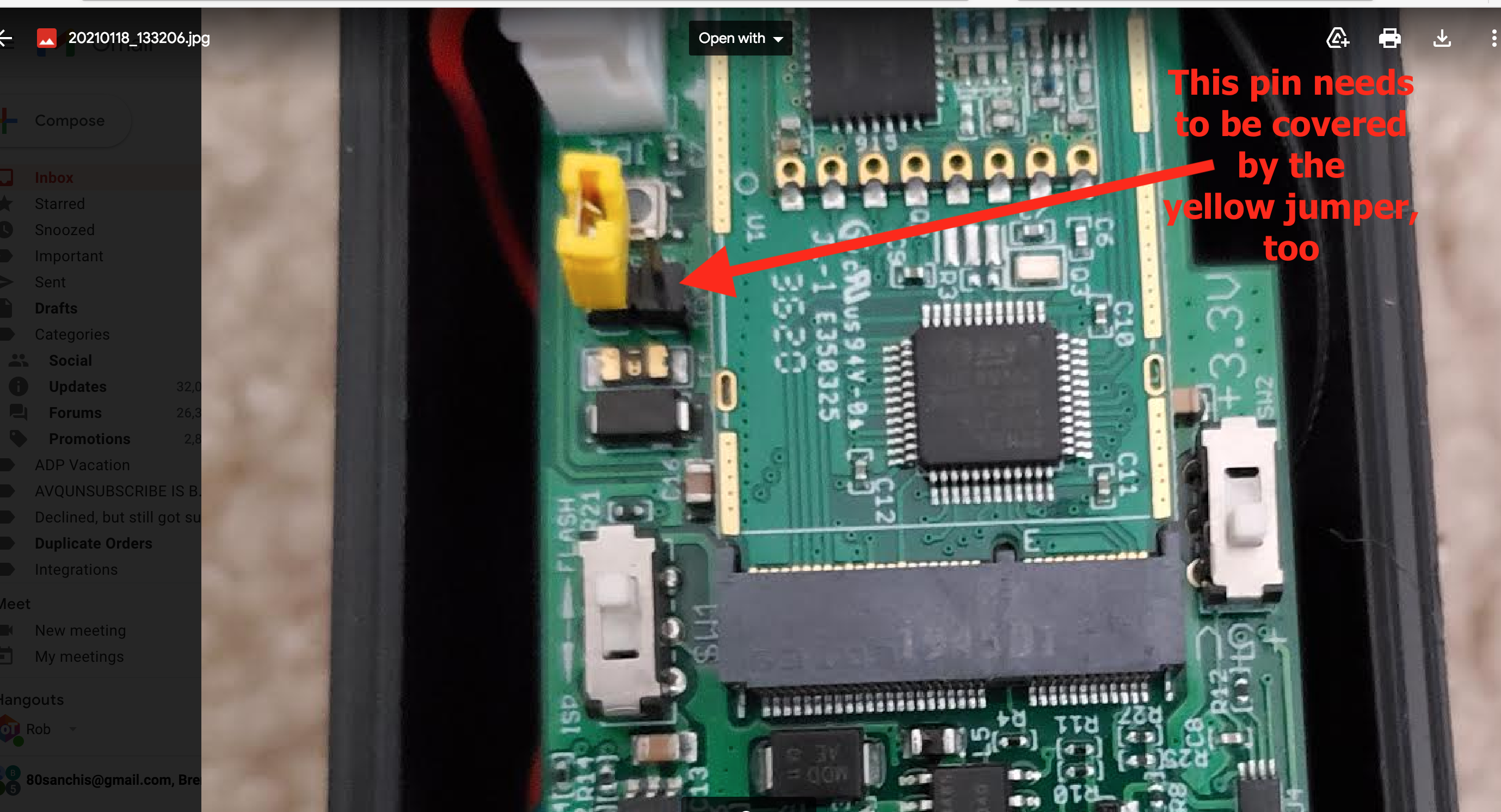
This picture shows the unit before activation, where the jumper is covering only 1 pin. Remove the jumper and place on both pins to activate.
-
Screw the cover back onto the unit
-
Remove the plastic cap covering the antenna base, and screw the antenna securely onto the sensor
Reset
-
Remove the screws and the sensor cover and the to access the circuit board inside the sensor
-
Press the RESET button on the circuit board. You’ll see an LED blink on the circuit board to confirm the reset.
-
Screw the cover back onto the unit.