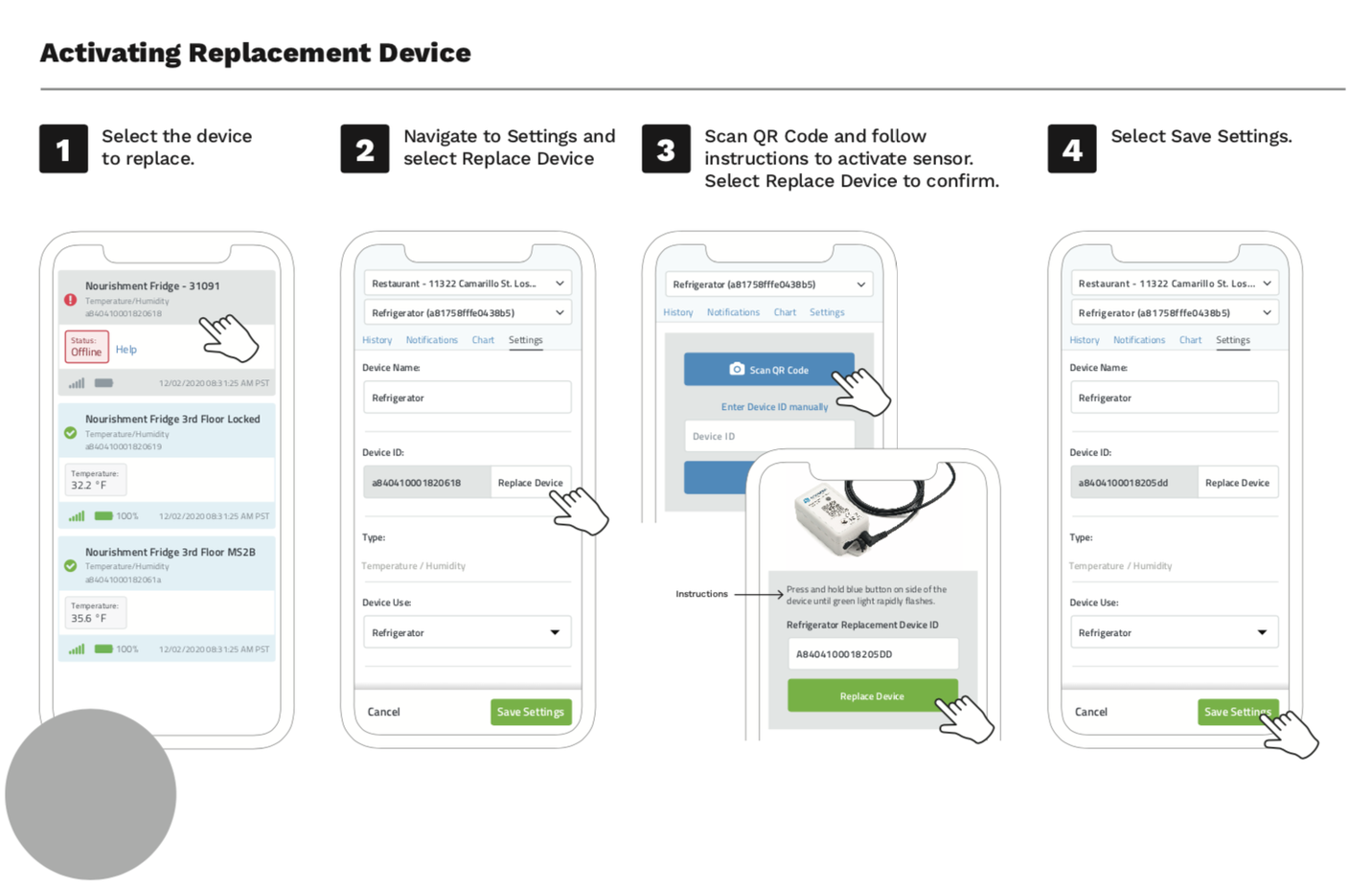
The following article will show you how to use the Replace Device feature to replace one beacon for another. This is useful if you have to replace a beacon (e.g. battery is low and you get a replacement) but you do not want to lose history or configuration for that device.
-
Click or Tap on the beacon you want to replace from the Manage screen List view
-
Go to the Settings tab and choose Replace Device
-
Scan the QR code on the replacement beacon with your device’s camera, or enter the Device ID manually. Select Replace Device to confirm
-
Click Save to save your changes.