

-
In a Web browser, navigate to the IP address that the gateway populates from an IP Scanner such as Advanced IP Scanner.

Example: Gateway will be broadcasted by the MAC Address of the gateway, which is similar to the Gateway EUI
-
After retrieving the IP Address, login to that IP address on a Web Browser.

Login with the Credentials that you were provided
-
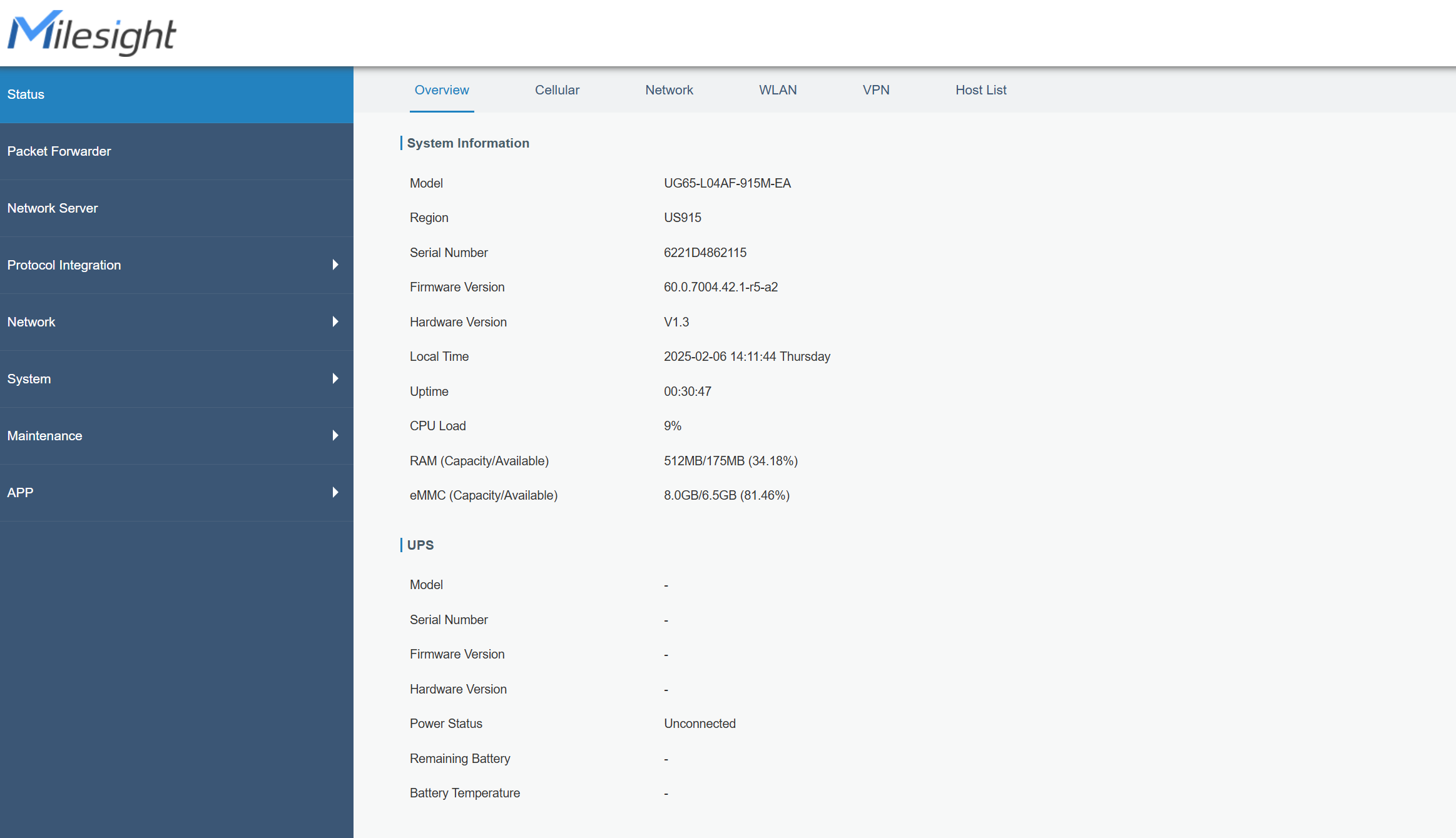
Once logged into the Gateway, this page will appear.
-
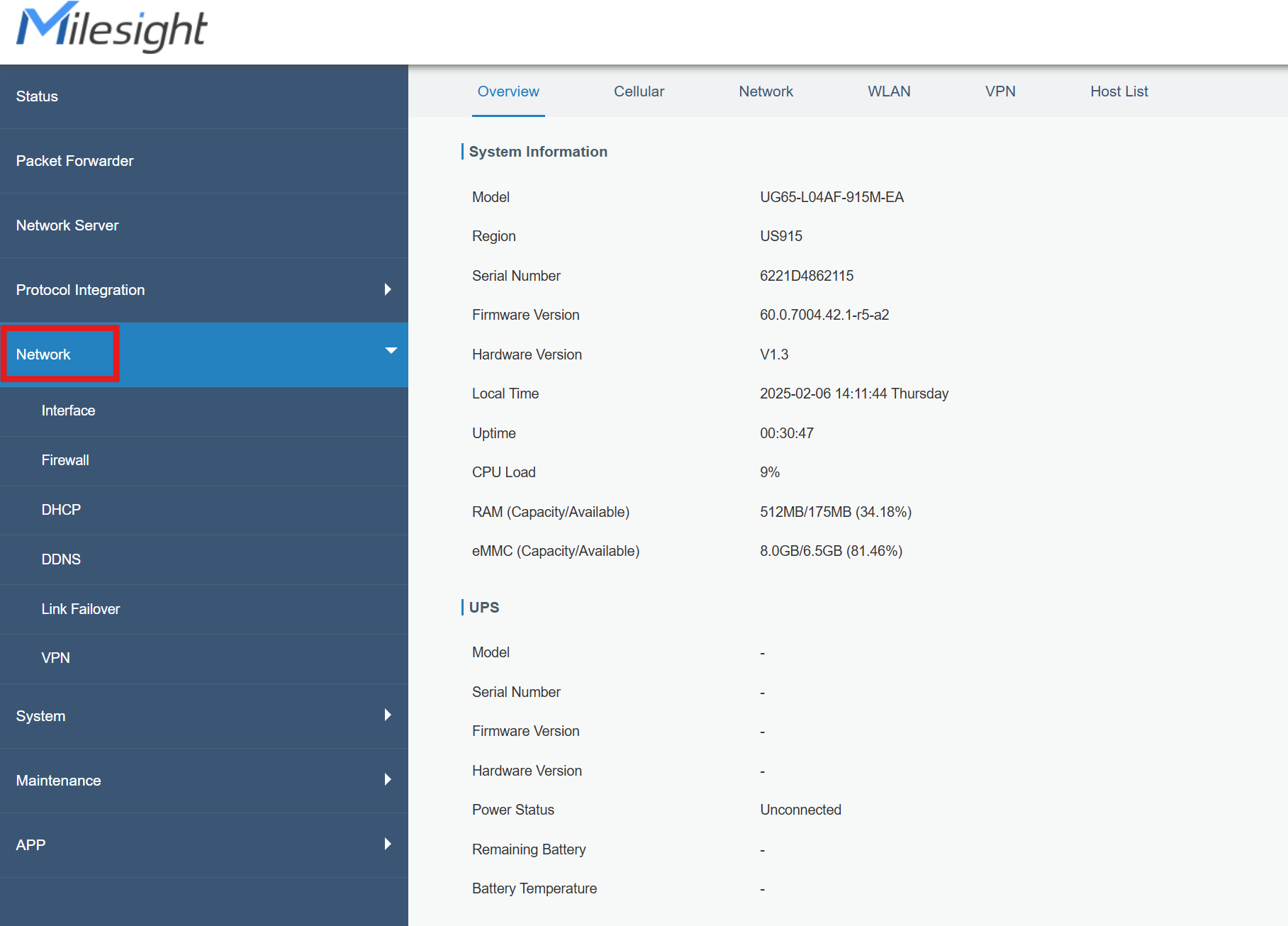
Navigate to the Network tab on the left had side of the screen.
-
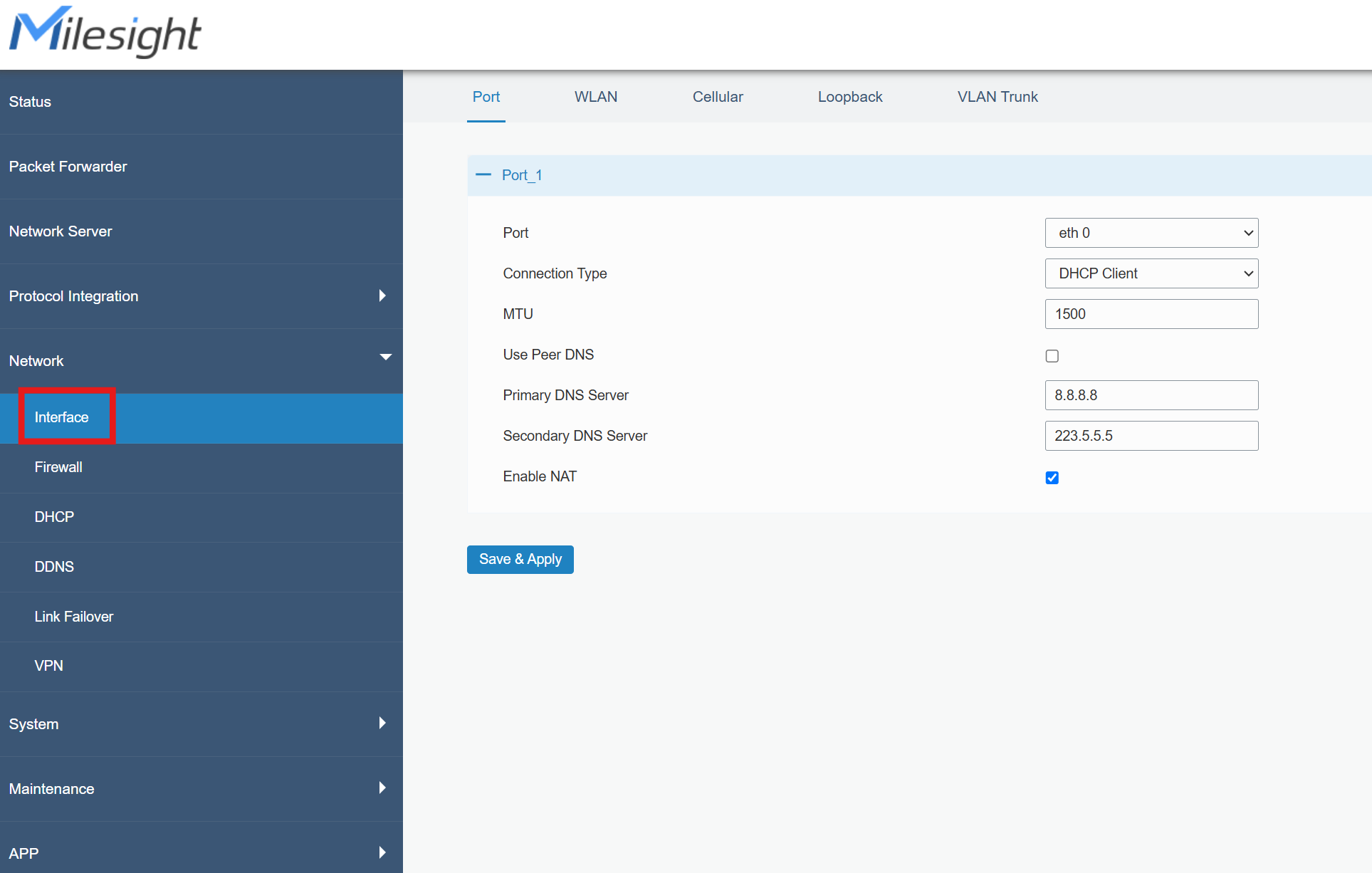
Navigate to the Interface tab under Network.
-
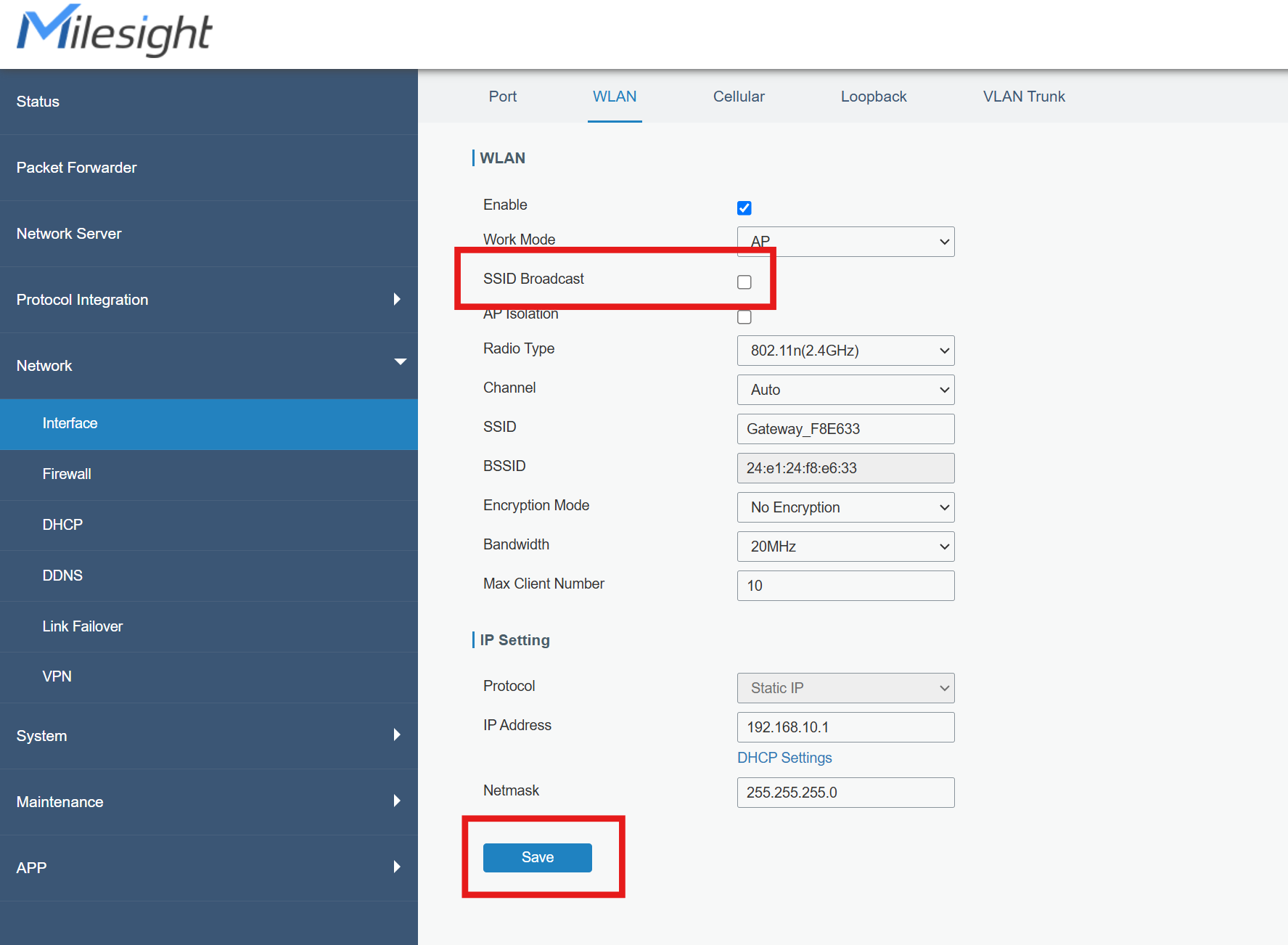
Click on WLAN at the top of the screen.
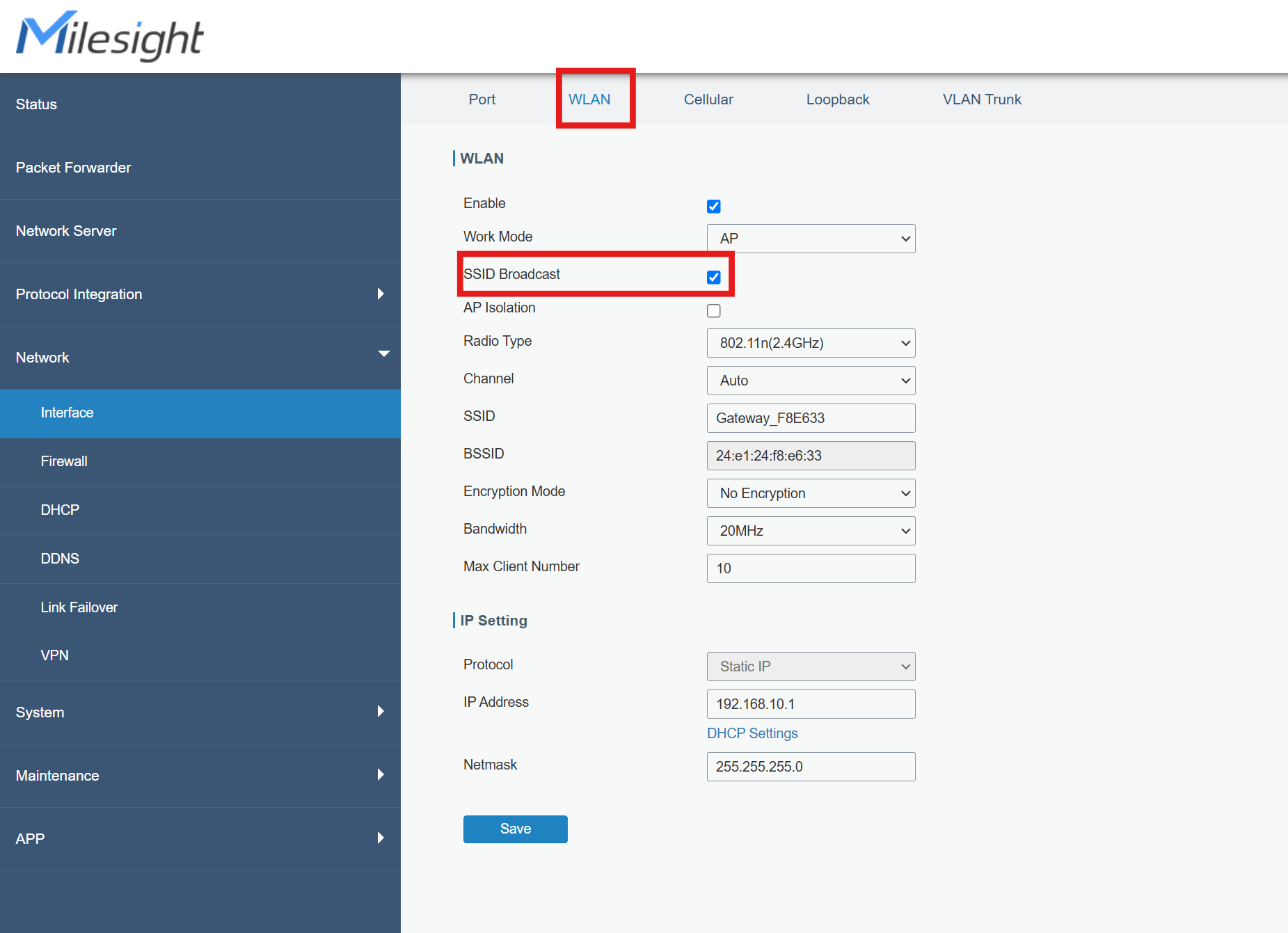
By Default, the SSID will be enabled
-
Uncheck the SSID Broadcast box and Click Save on the bottom left.
-
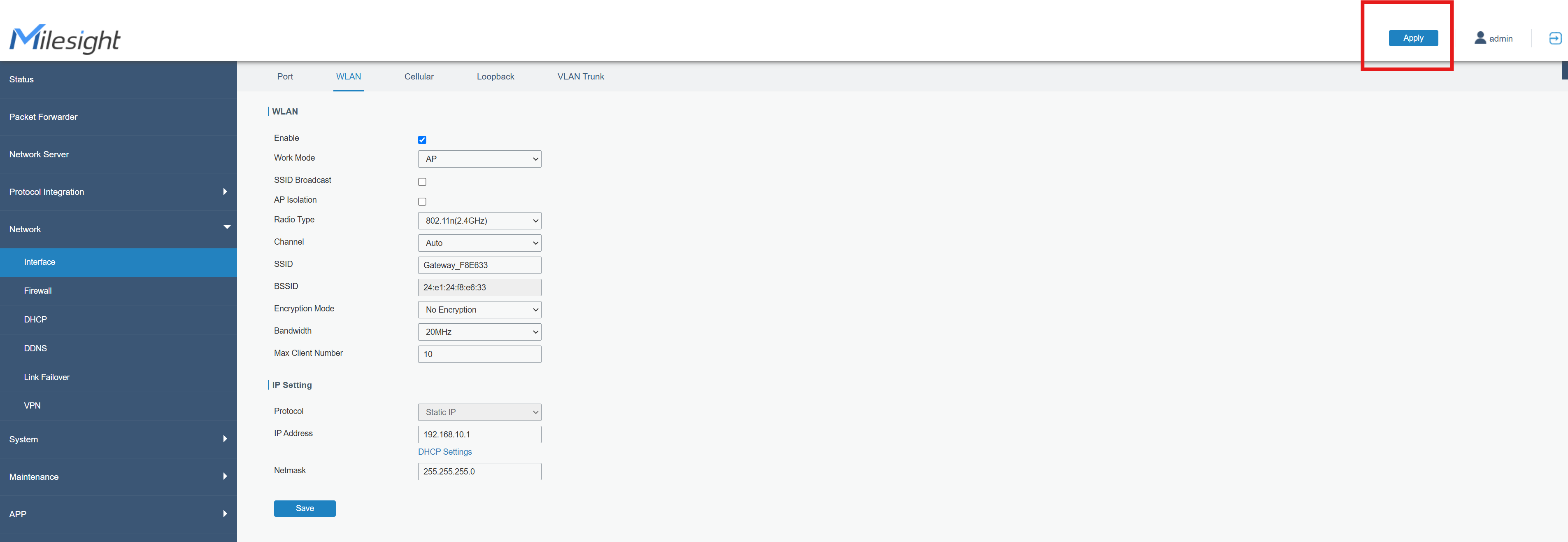
After clicking the Save button, click on Apply on the top right corner of the screen.
-
As a last step, check the WIFI networks on the local domain, and the gateway SSID should be hidden.