The “pin” feature allows you to easily access the Sensor Maps that matter most. With it you can customize your home screen view by selecting any map or floor plan you want quick access to. Pin maps from your locations to the sidebar on the home screen to quickly switch between them, or to set them as the default view when you log into the account.
-
Open the sensor map you want to pin to your home screen via Menu → Sensor Map, then using the map icon in the bottom-center to select your map

Select Map icon
-
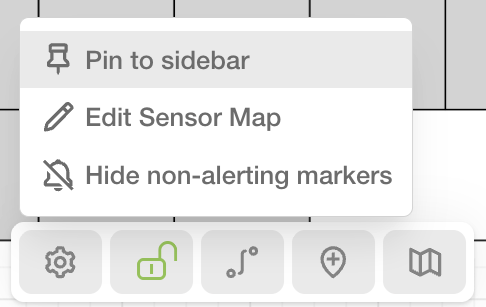
In the bottom center, click on the settings (gear) icon, then Pin to Sidebar. This will pin the map to the left sidebar that is visible at all times in the web app.
To access the map you just pinned, simply click or tap on the map’s entry in the sidebar
-
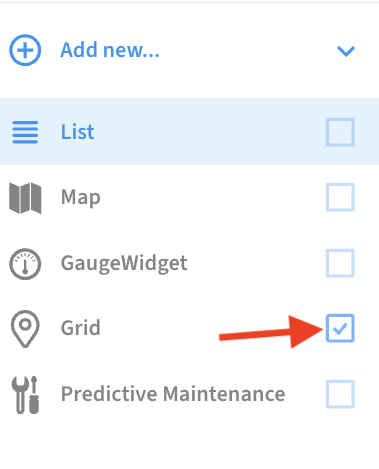
If you want the map to be the default page you see when you sign in, you can check it’s checkbox in the left sidebar. Only one item may be checked in the sidebar, as this specifies the default page.