

Admin access allows a user full control over the location. Admin users can:
-
Add or Remove the access to the Location for other users.
-
Adjust the permission level of any user for the Location
-
Add/Edit/Remove any Device, Alerts, Reports, Sensor Maps, Integrations associated with the Location.
-
Delete the Location
There can only be one Admin user per location. The Admin role is automatically assigned to the account holder who first created the Location. If you change Admin, you will change it for all locations owned by that Admin.
You can review the Admin (and other roles) from the CONTACTS screen.
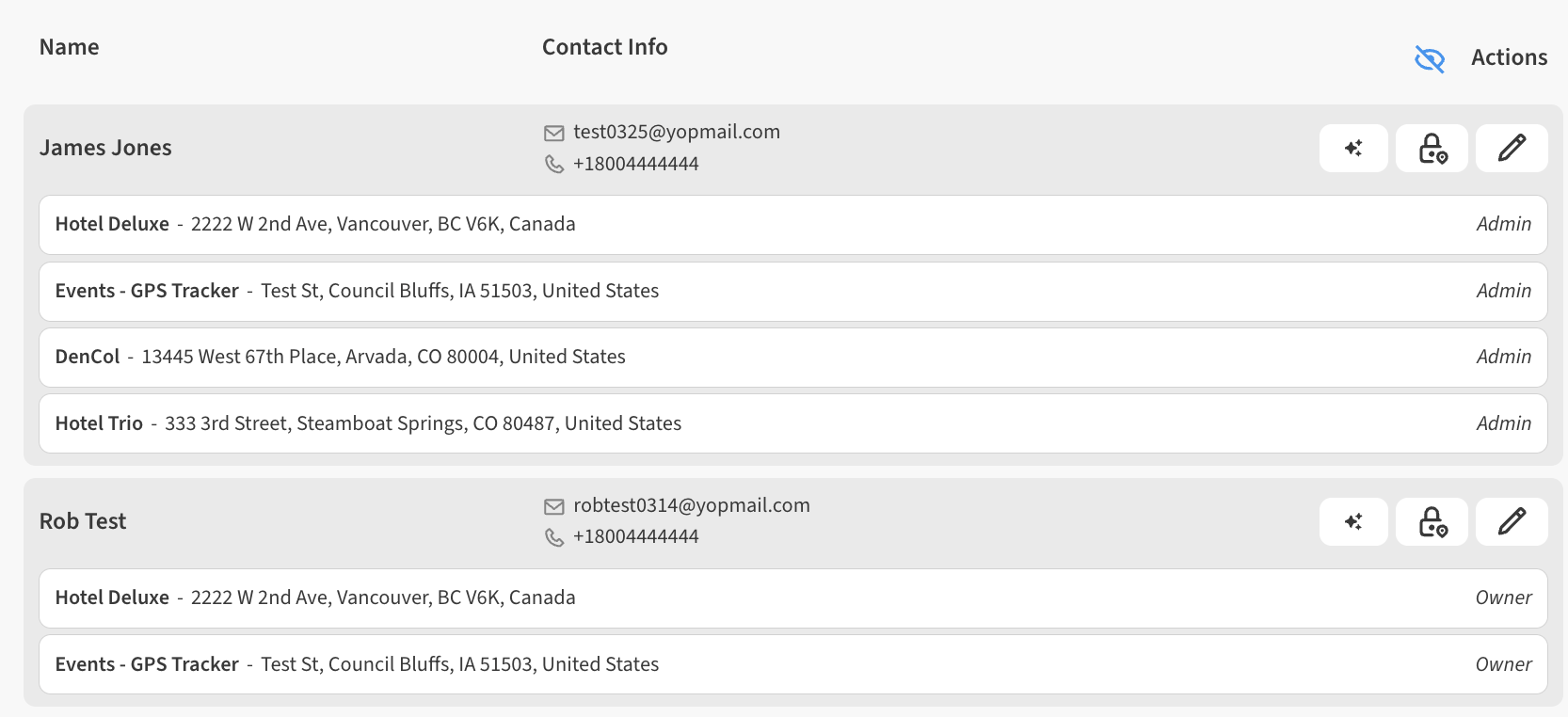
The app supports an Owner roles for Locations, and there can be multiple Owners per Location. This role can do everything that an Admin can do except deleting the Location entirely.
Consider adding Owners before changing the admin user. This role may save you from needing to manually change the Admin for your Location. Instead, you can elevate the necessary contacts to Owner role.
For more information on this please see Elevate contact to Owner with full permissions
Steps to manually update the Admin for a Location
To change the Admin of a Location, the existing Admin themselves must change their profile to the personal information of the new Admin using the Account Settings section in the App.
Select ☰ > ACCOUNT in the top right corner, then click the Edit (pencil) icon to begin adjusting the
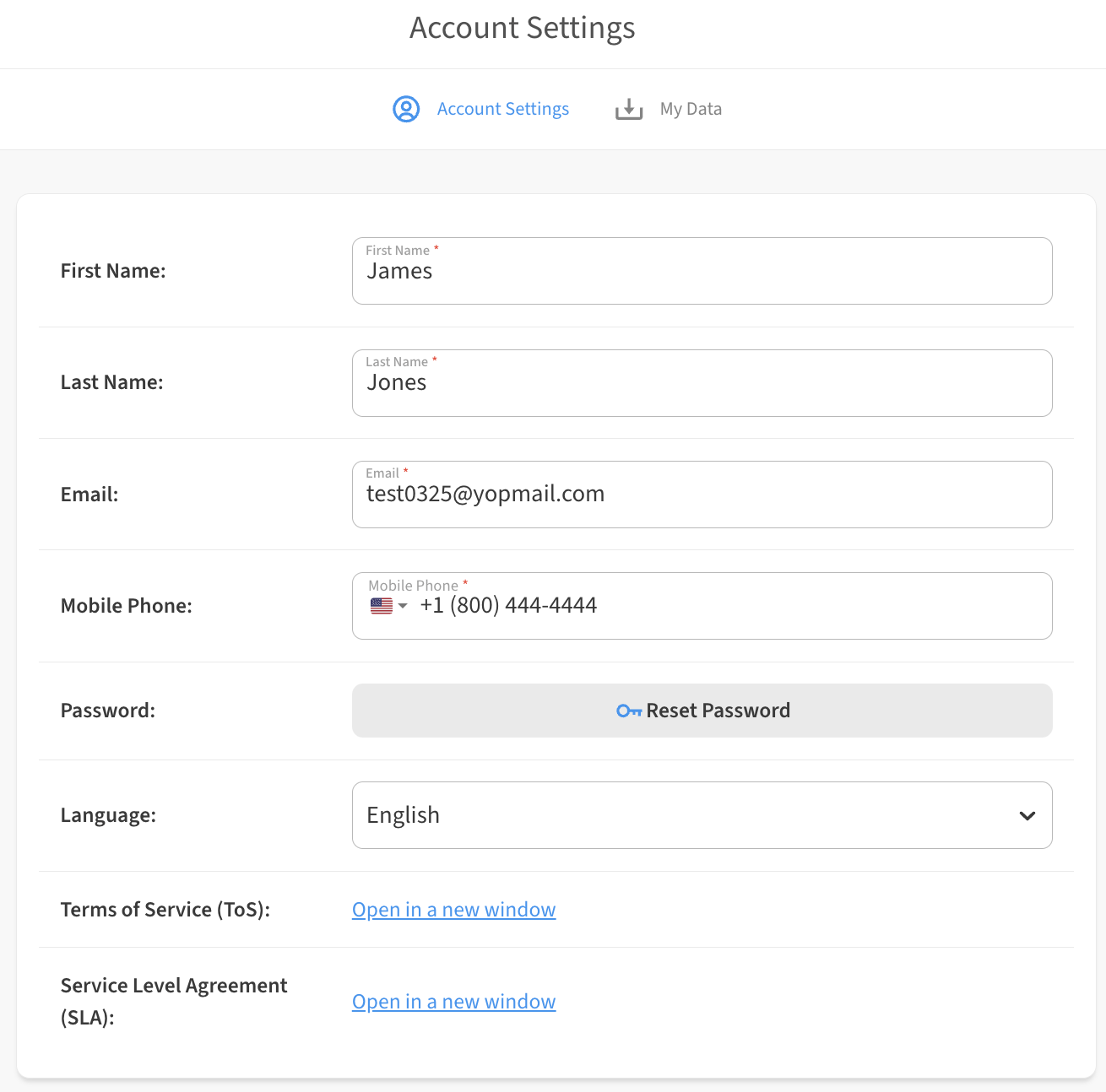
Select Edit Profile and make the following changes:
-
First Name
-
Last Name
-
Email – this must be an unused email address in the system that does not yet have an account. If you need to swap an existing user who already has an existing account to the admin role, please contact Support.
-
Mobile Phone
The new Admin user can now use the Forgot Password link on the sign in page to set a new password for themselves so they can log in and take ownership of the account.
If you are updating the Admin for an Organization, we strongly recommend that you switch the account to a generic Email (such as iot@yourcompany) to avoid needing to perform this operation again for future personnel changes.