Reports will be delivered automatically to each user whose email address is in the Recipients list for the report. If you longer wish to receive a report, you have two options:
-
Disable the Report - this will prevent the Report from running entirely. Please note that this will affect all recipients associated with the report.
-
Remove yourself from Recipients List - this removes only your contact from the list of recipients. All other recipients will continue to get the report.
Disabling a Report
-
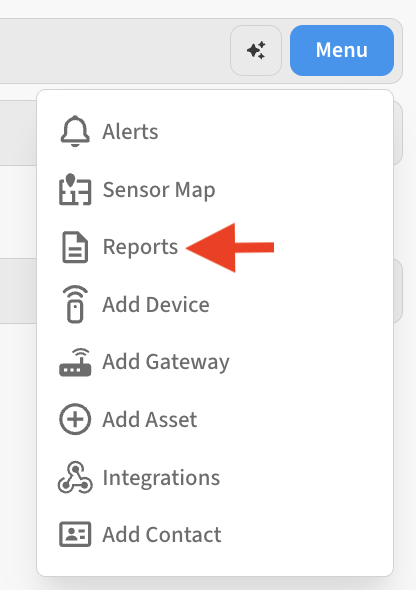
Go to Menu → Reports for the Location containing the report you’d like to disable
-
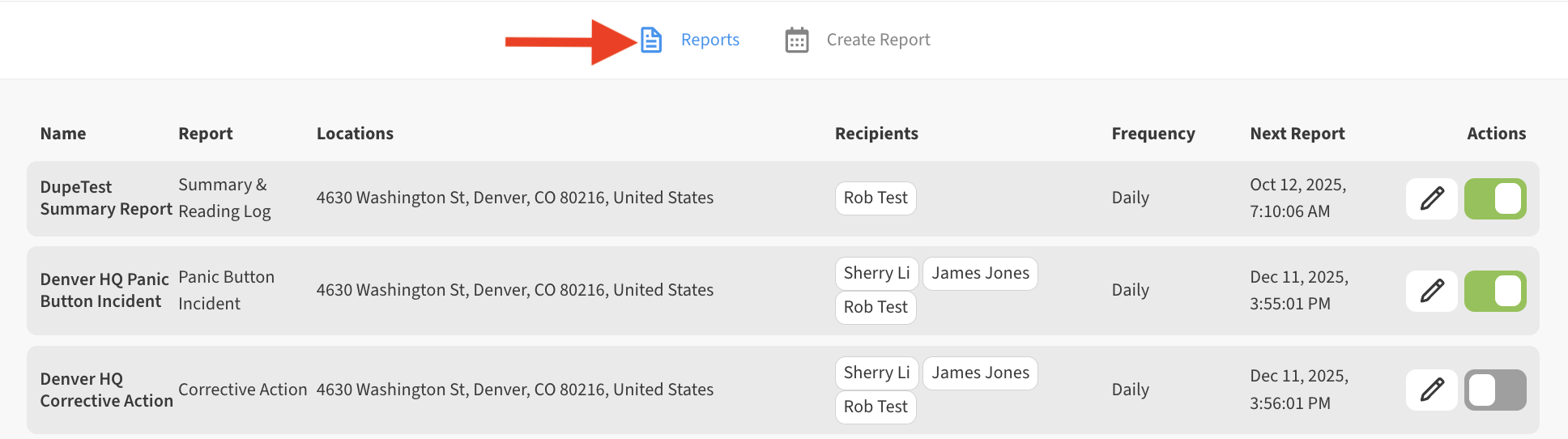
Click on the Reports tab to view a list of Reports
-
From the Actions column use the toggle to disable the report OFF (gray – toggle switch to the left)
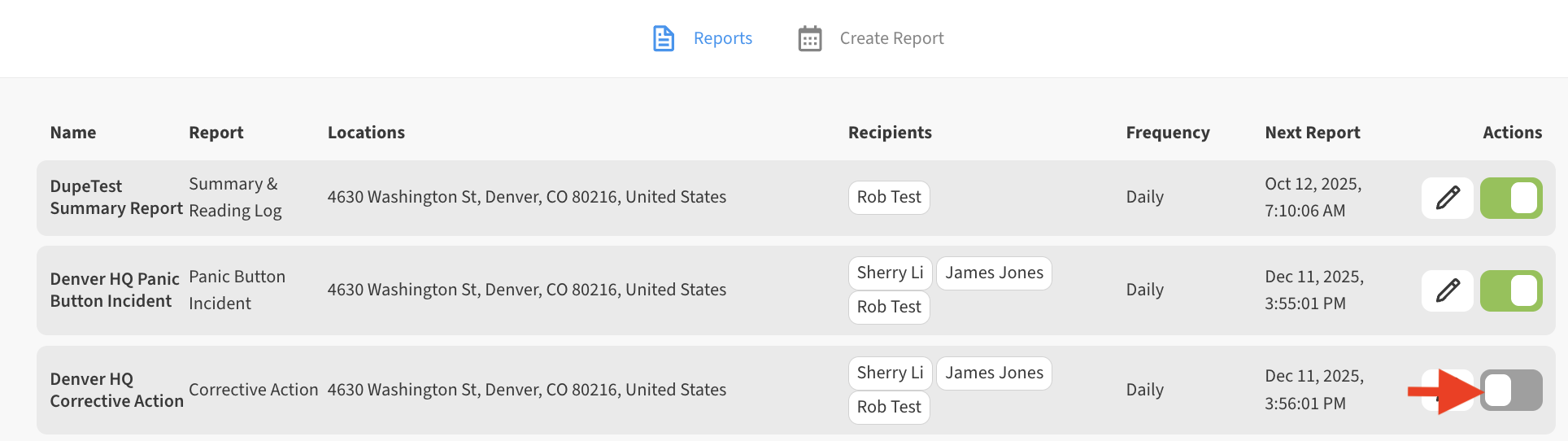
To re-enable the report in the future, simply toggle the report back ON (green – toggle switch to the right)
Remove a recipient from a Report
-
Go to Menu → Reports for the Location containing the report you’d like to edit the recipients list for.
-
From the list of Reports shown, select the Edit (pencil) icon.

-
Scroll down to the Recipients list and click the Edit (pencil) icon to open the list for editing

-
Uncheck the checkbox next to the email address of any recipient(s) who should be removed from the report.

Don’t forget to Save the changes to your report.