

The following article will help you in troubleshooting whey recipients did not receive their reports.
User may not be listed as a Recipient on the report
Reports will be sent to all listed contacts under the Recipients list. This list can be configured differently for each report, so it is worth double checking the recipient (with correct Email address) is listed in the Report Settings.

Report is disabled
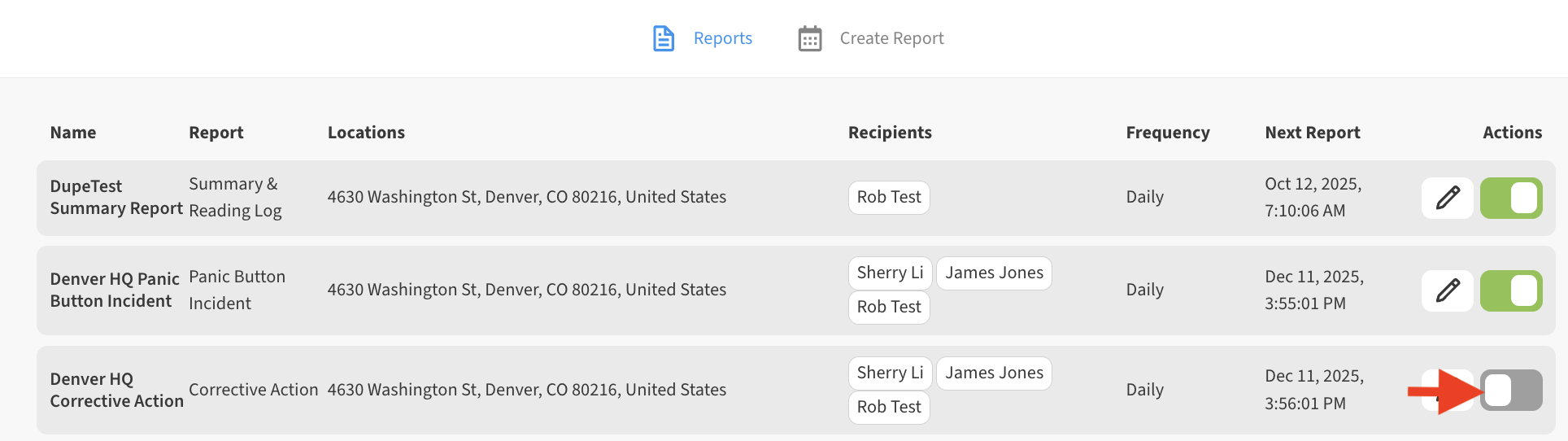
Double check that the Report is enabled. Reports can be toggled on or off from the Reports tab accessible via Menu → Reports. If your report is toggled OFF (gray – toggle switch to the left), it will not run. In order for the report to run, it must be toggled ON (green – toggle switch to the right)
Report is stuck and no longer running
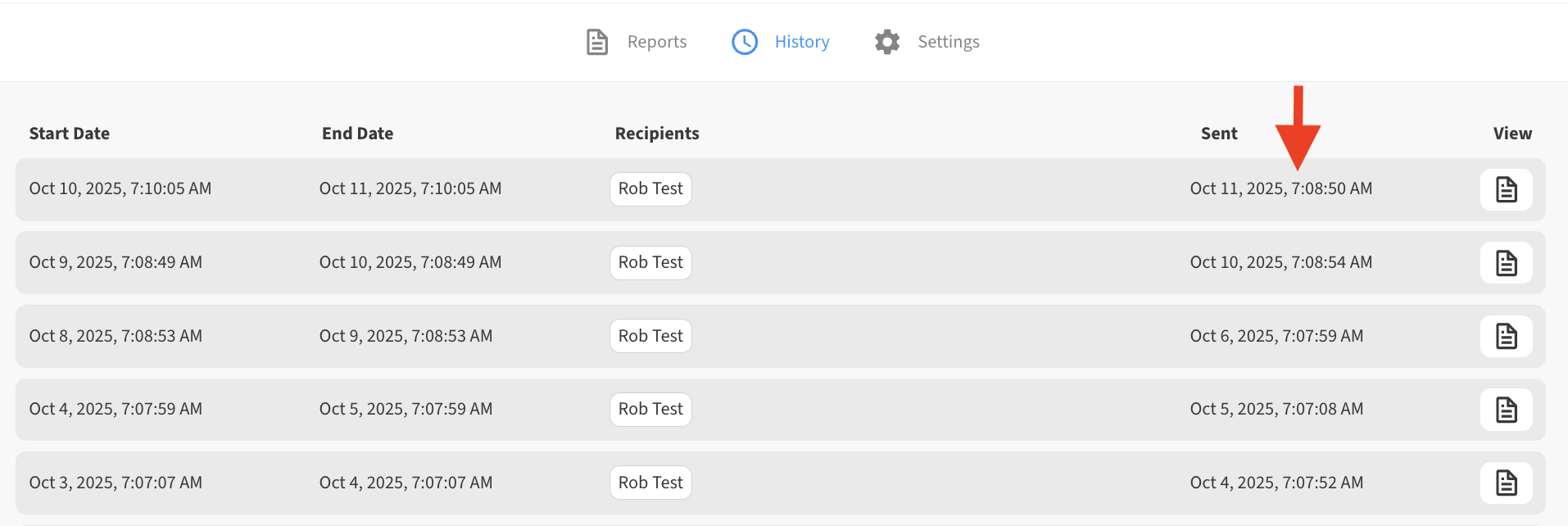
Double check that the Report History is continuing to update for your report. Each time a report runs a new entry will be added on this screen which is accessible by clicking or tapping on any Report from the Reports tab list. If this stops occurring, this could indicate a problematic report.
In such instances the best way to solve it is to disable the report and create a new Report with the same settings.
Recreating a stuck report will allow you to keep the old report history (for reference) and quickly get a report unstuck and running once again.
See Also: Download missed reports
If a recipient is missing their report and needs to download it, they can do so at any time from the dashboard. For more information see: Download old Report history