
The following article explains how to turn a user's Alert text message, alert email, and Report email deliveries on or off — either across all of their locations at once, or for specific locations.
This lets you pause or restore notifications for a person without removing them from any alert or report, so nothing needs to be reconfigured when they're ready to receive notifications again.
This feature is available to users with the Admin or Owner role.
Turning notifications on or off for all locations
-
Open the Contacts screen via ☰ → CONTACTS.
-
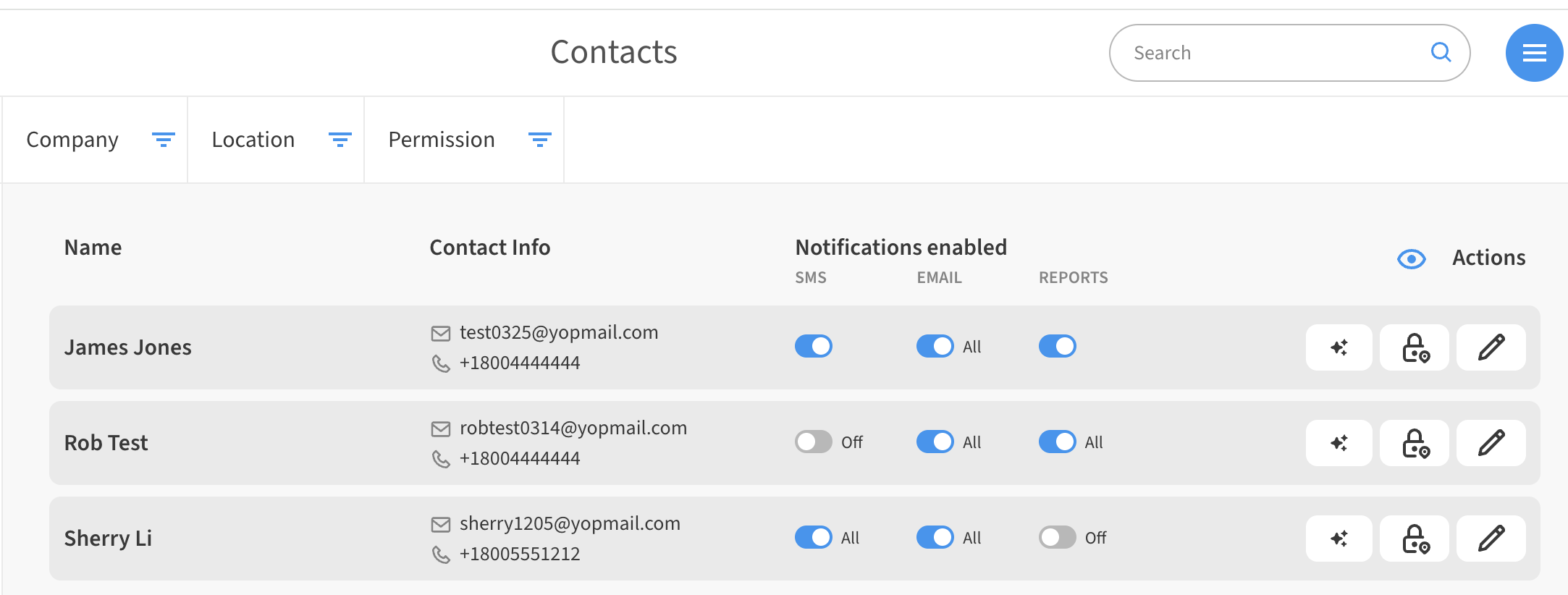
Locate the contact in the list. Under the Notifications enabled column, you'll see three toggles: SMS, Email, and Reports.
-
Click or tap a toggle to turn that channel on or off across every location the contact has access to.
Each toggle also shows the contact's current state at a glance: All (enabled everywhere), Off (disabled everywhere), or a count such as 3/5 (enabled at some locations).
Turning notifications on or off for specific locations
-
From the Contacts screen, click the Edit (pencil) icon next to the contact.
-
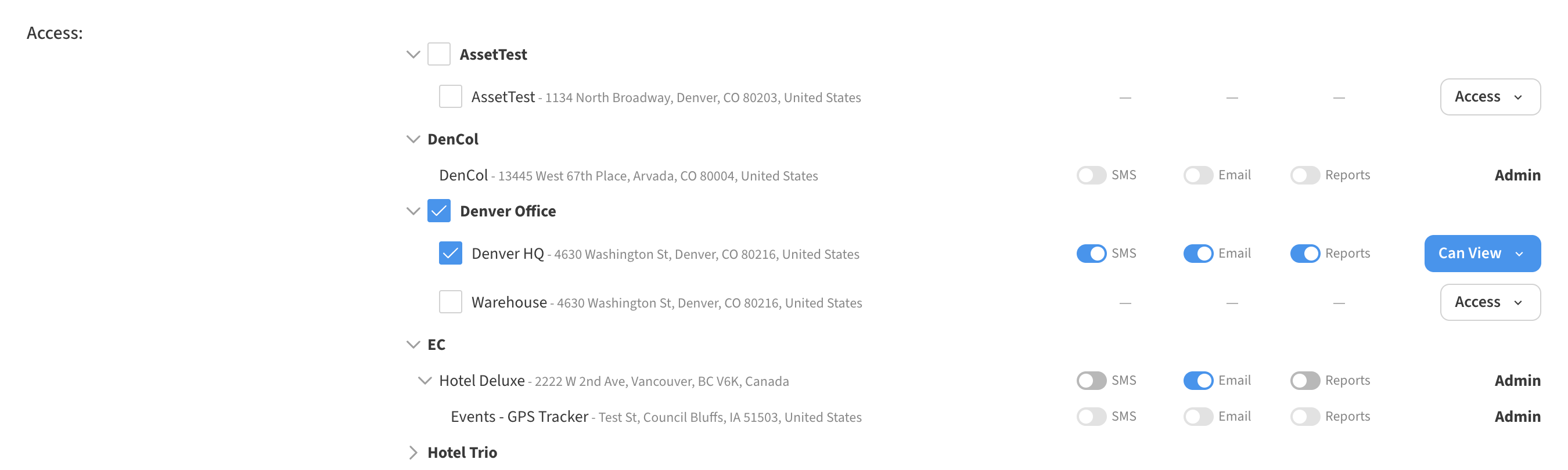
In the contact's location access list, you'll find columns for SMS, Email, and Reports next to each location.
-
Use the toggles to turn each channel on or off for that location only. Locations the contact doesn't have access to will show a dash character “ – “ instead of toggle switches
Tips
-
Turning a channel off only pauses text message/email delivery — the contact remains a recipient on all of their alerts and reports. Turning it back on restores delivery immediately, with no need to re-add them.
-
When you grant a contact access to a new location, all three channels start enabled.
-
The SMS toggle is unavailable for contacts without a mobile number on file.
Example uses
-
Vacation / PTO — turn off all three channels while a contact is away, and back on when they return.
-
Site-specific quiet — silence a contractor's SMS at one location while leaving their other locations untouched.
-
Email-only periods — keep a manager on email but pause SMS during a noisy commissioning period.
-
Reports-only recipients — turn off SMS and Email for a contact who should only receive scheduled reports.