

This article covers how to setup the Gemtek gateway with a Cradlepoint router.
Activation
Installation
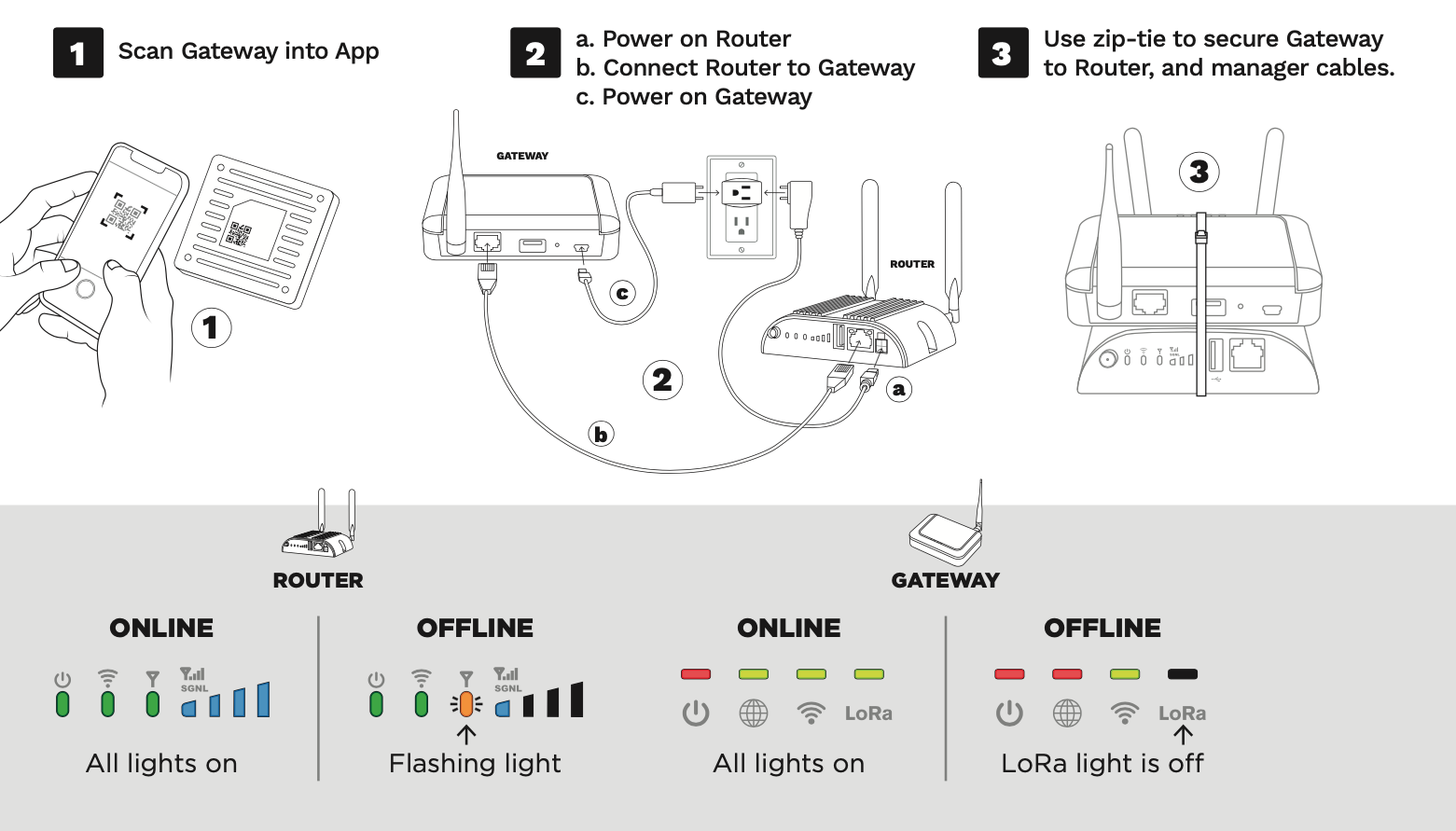
We’ve noticed that if the Gemtek unit boots up before the Cradlepoint unit has an internet connection, there can be a failure for the Gemtek to connect online.
As a best practice, we recommend powering on only the Cradlepoint router until you see 3 solid green oval lights as in the image above. Please allow it 5 minutes after powering on to reach this state – you’ll see a lot of other light patterns while it is booting up.
Then plug the Gemtek into and it should connect OK after it has booted up (allow 5 minutes for it to boot).