

As you add sensors and gateways to the platform, you may end up with a large alerts list where you need to take the same action on many alerts at once. Rather than individually clicking the toggle switch on each alert, we make it easy to bulk enable/disable alerts with the Toggle all function
Bulk disable alerts
-
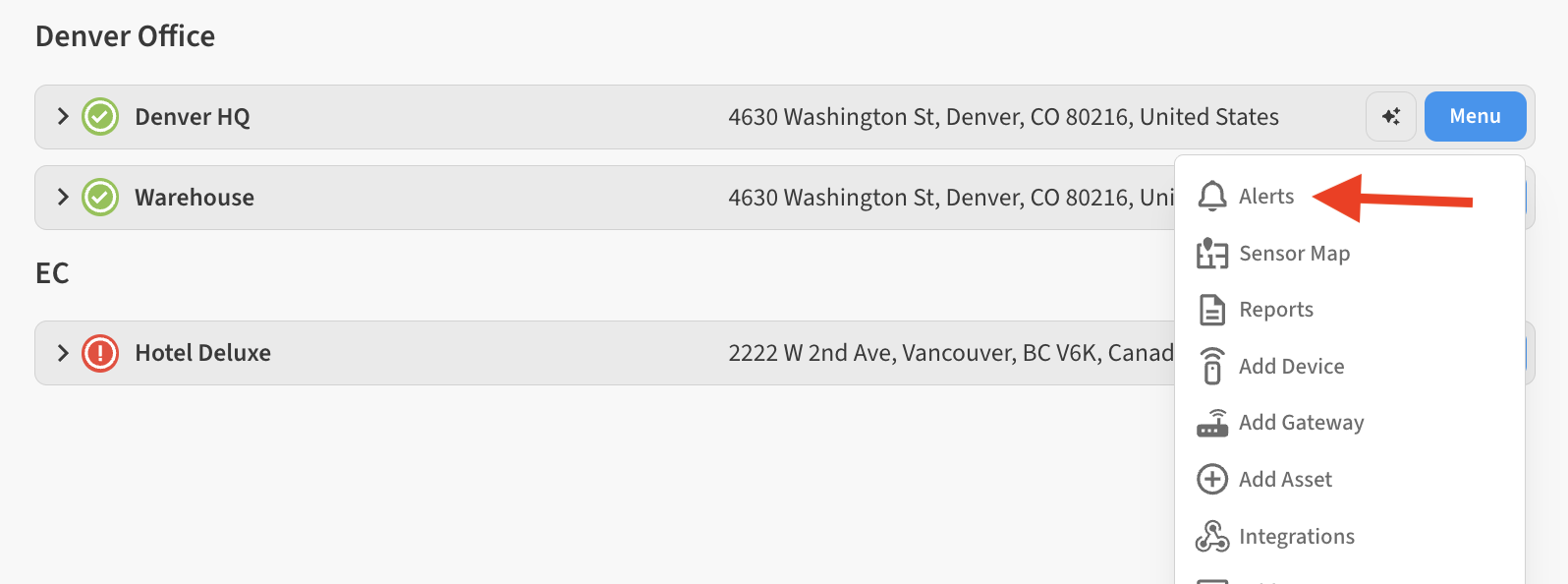
Go to Menu → Alerts for the location containing the alerts you’d like to bulk disable
-
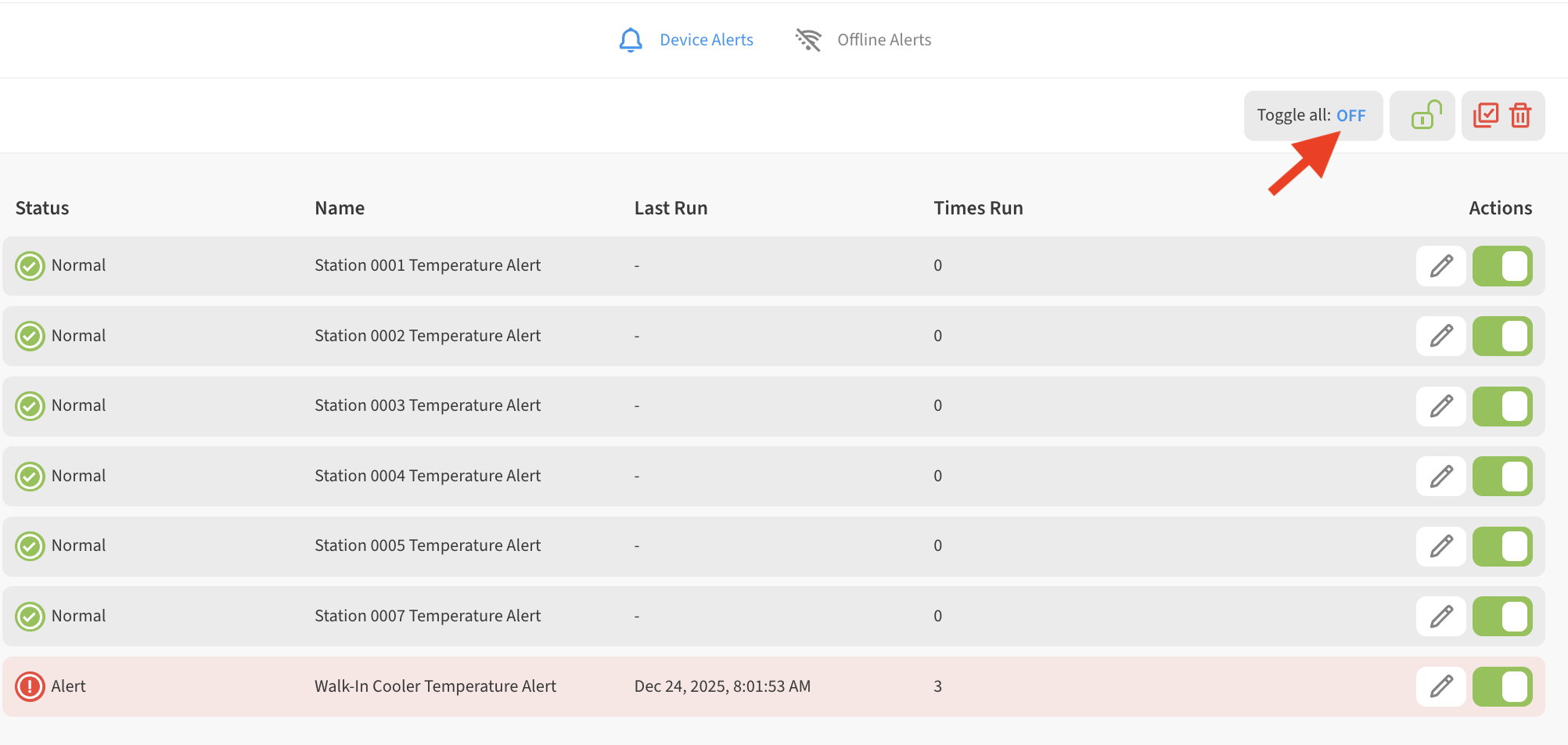
In the upper-right, click on Toggle all: OFF
-
All alerts are now disabled
Bulk enable alerts
-
Go to Menu → Alerts for the location containing the alerts you’d like to bulk disable
-
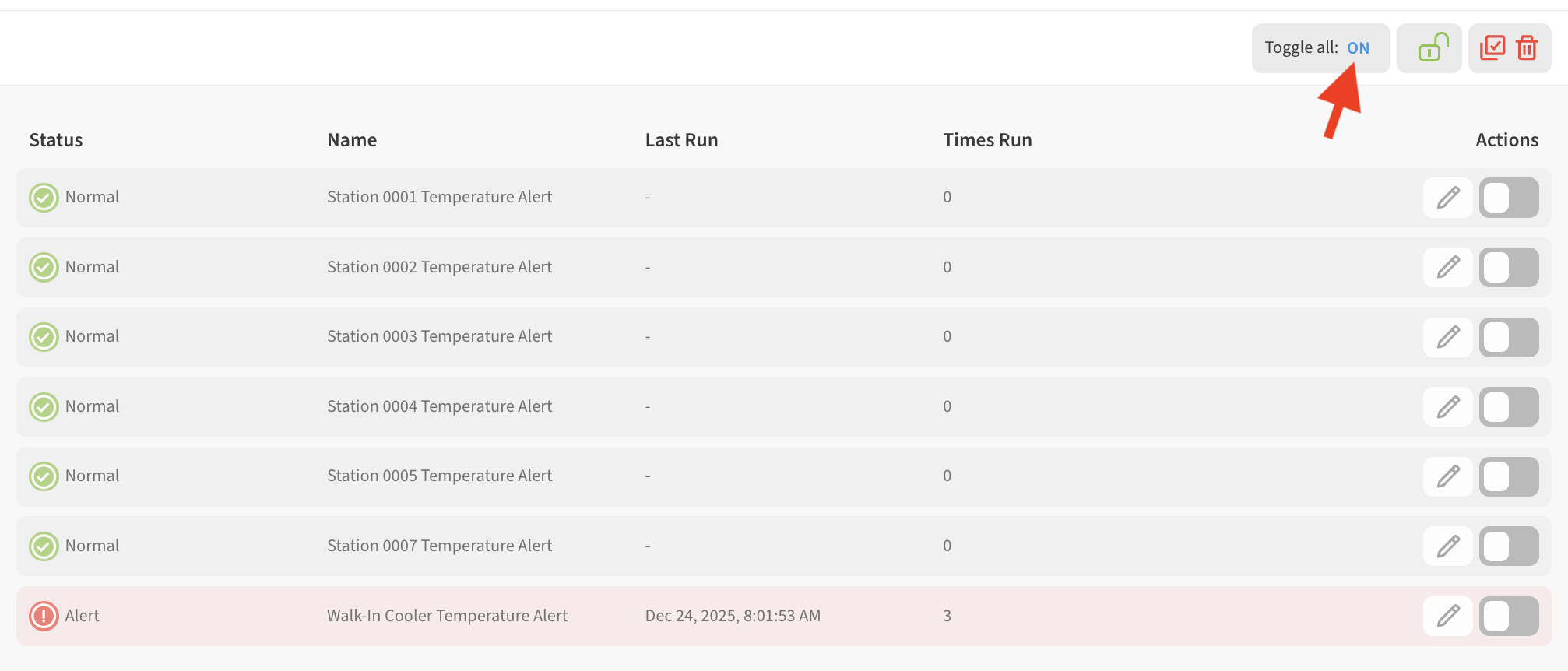
In the upper-right, click on Toggle all: ON
-
All alerts are now enabled