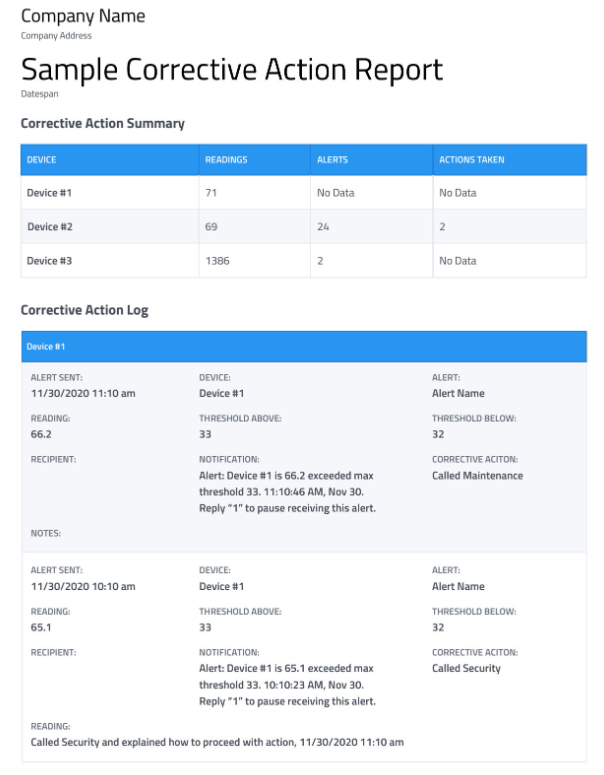
The Corrective Action report contains a rollup of alerts where corrective actions were logged in the software. This report contains the corrective actions selected in response to the Alert along with whatever notes were recorded on the alerting data point.
Example Corrective Action Report
The Corrective Action report contains 2 sections:
-
Summary – this section will show the number of readings, number of alerts, and number of corrective actions taken for each device included in the report, over the course of the report period.
-
Corrective Action Log – for any devices included in the report which had alerts where a Corrective Action or Corrective Action Notes were logged, there will be an entry in this section. It shows when the alert occurred and on which device, what the out-of-range reading was, and what the thresholds for triggering the alert are.
Also displayed are any Corrective Actions and Corrective Action Notes logged for each specific alert.