Some devices require a special screwdriver to access the SIM compartment. View our videos for quick steps, or follow the guides below.
When removing SIMs from any gateway model, ensure they are powered off to avoid damage to the equipment.
Make note of the orientation of the old SIM when ejecting it from any gateway model, so you can insert the new SIM in the same direction. Most SIMs insert into a flat metal tray – make sure you are inserting into it and not above or below it!
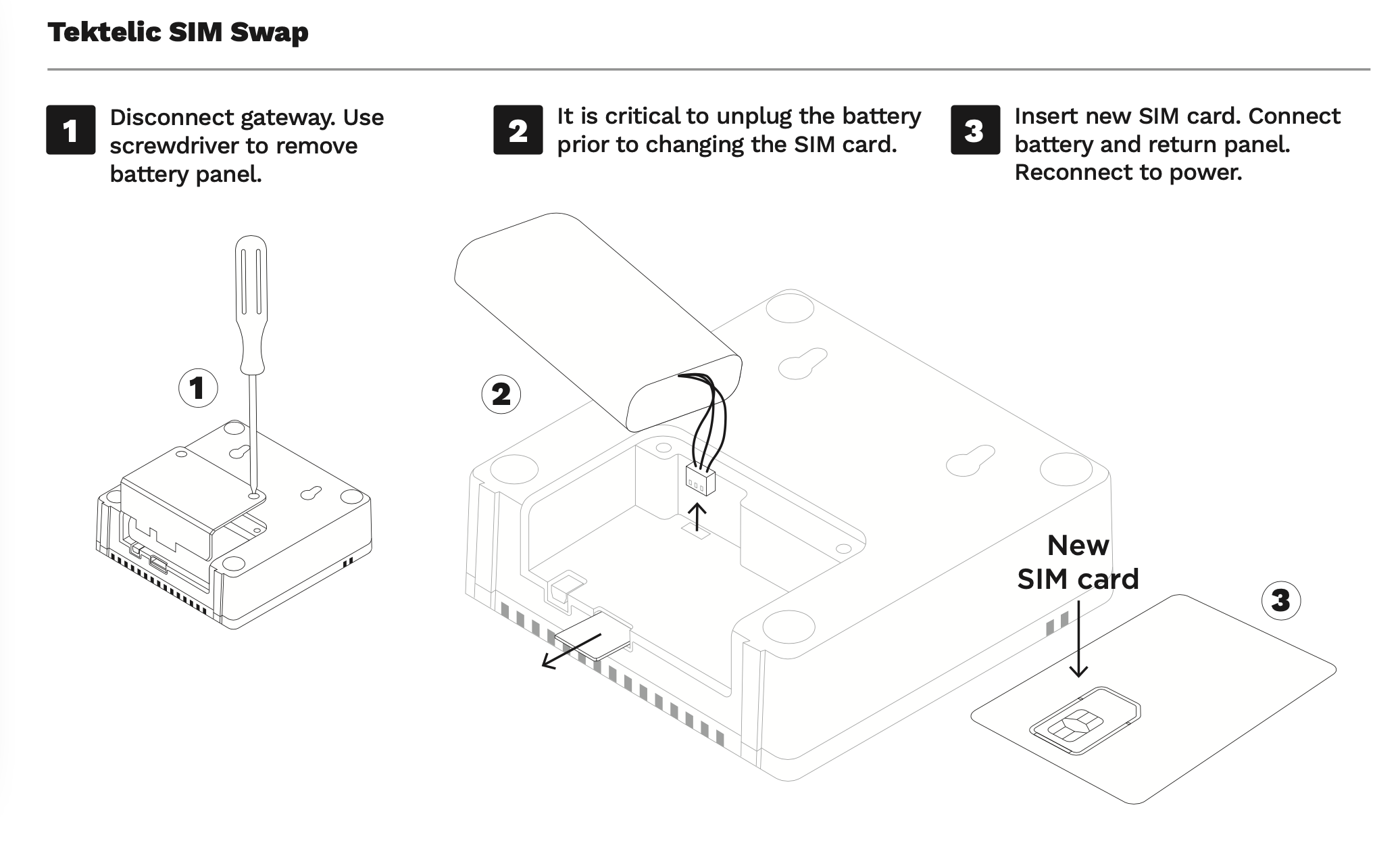
Tektelic Kona Micro Gateway
Remember to fully disconnect your device and battery pack from power before starting.
-
Required: Phillips screwdriver
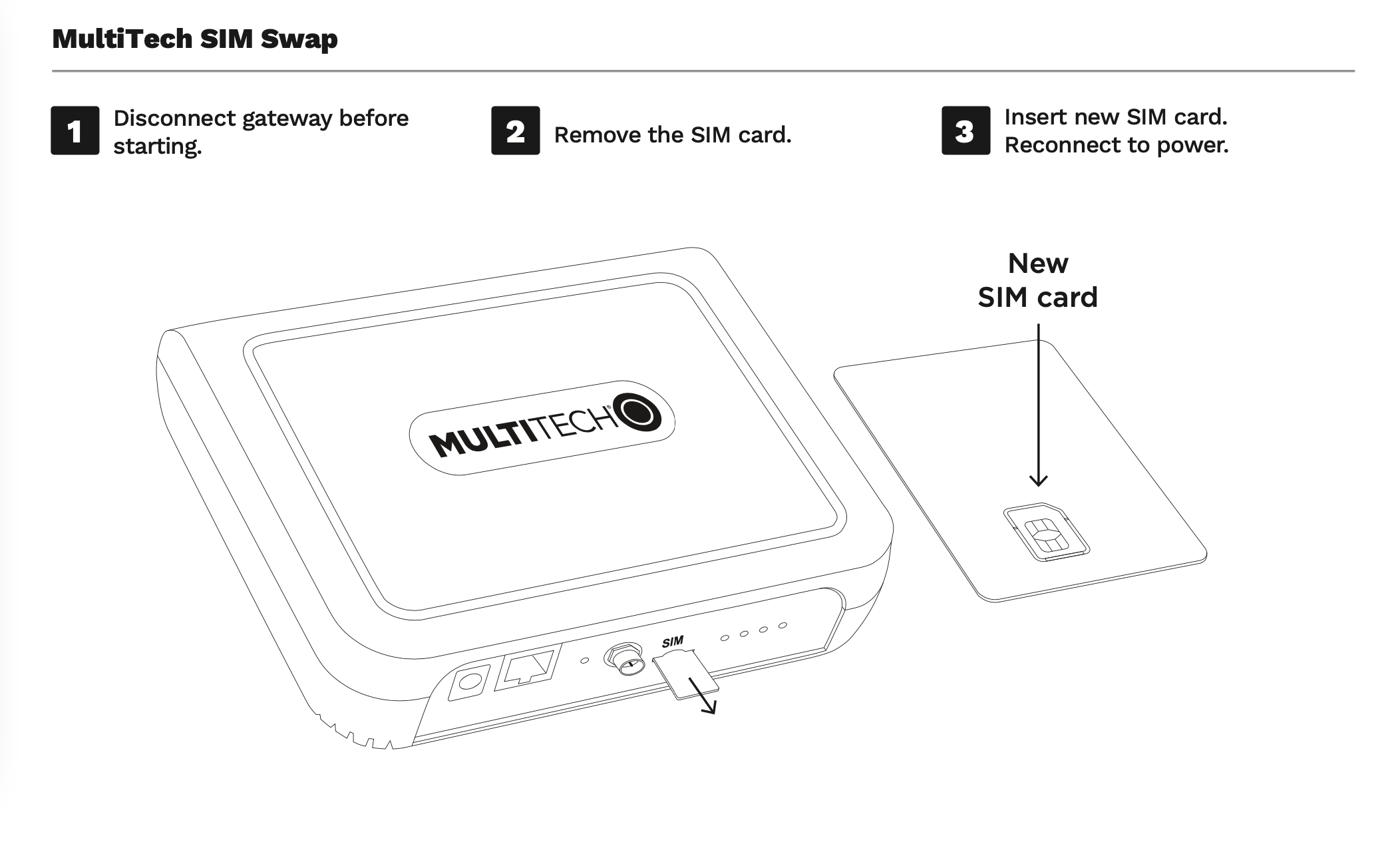
Multitech Conduit Gateways
Remember to fully disconnect your device from power before starting.
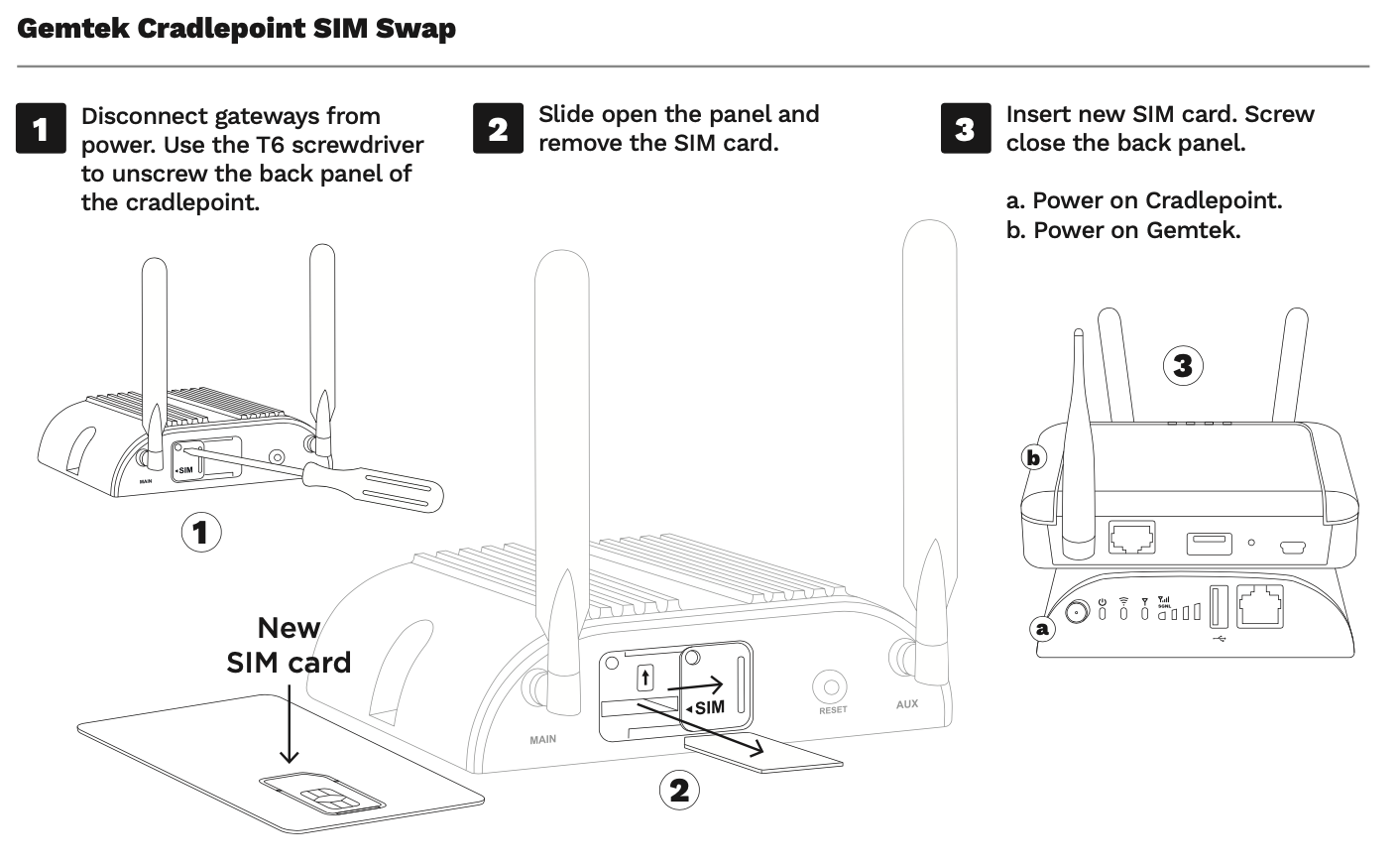
Gemtek & Cradlepoint Gateways
In this combination, the Cradlepoint (black) unit contains the cellular SIM. The Gemtek (white unit) is an Ethernet gateway which connects to it, and does not have a cellular SIM card
Remember to fully disconnect both devices from power before starting.
-
Required: T6 Screwdriver