The ZenDesk Integration allows you to automatically create tickets within the ZenDesk platform in response to alert events within your IoT account.
Creating a new ZenDesk integration
-
You will need a ZenDesk account. If you do not already have one, click here and create one.
-
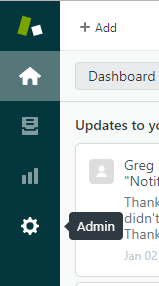
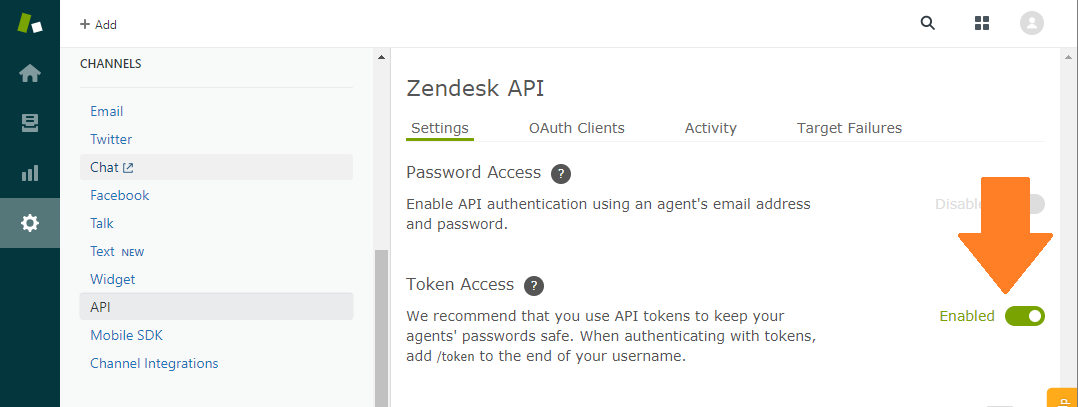
Login to your Zendesk account and click on the Admin gear icon on the left side of the page. Go to Channels > API and enable Token Access.
-
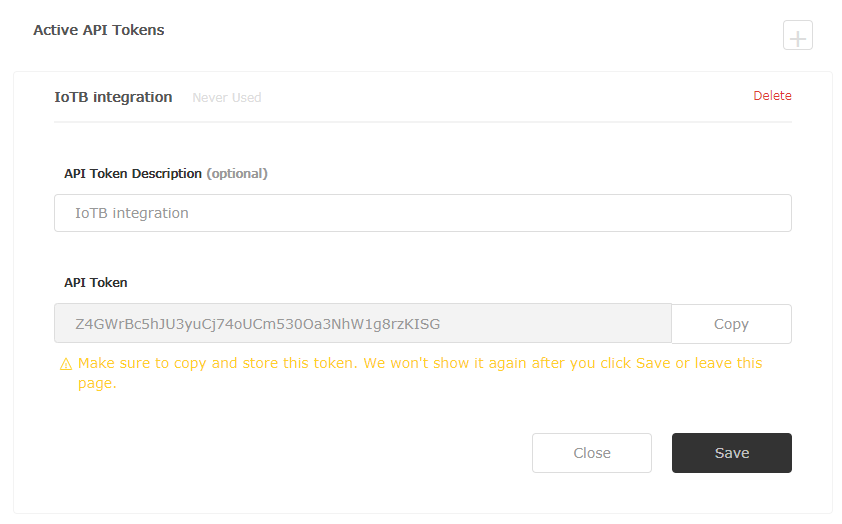
Generate a new token by clicking on the (+).
💡 Be sure to copy this token as it won't be shown again once you leave the page.
-
Log into your IoT dashboard account where your devices are located.
-
Go to ☰ → INTEGRATIONS and then select the ZenDesk integration.
-
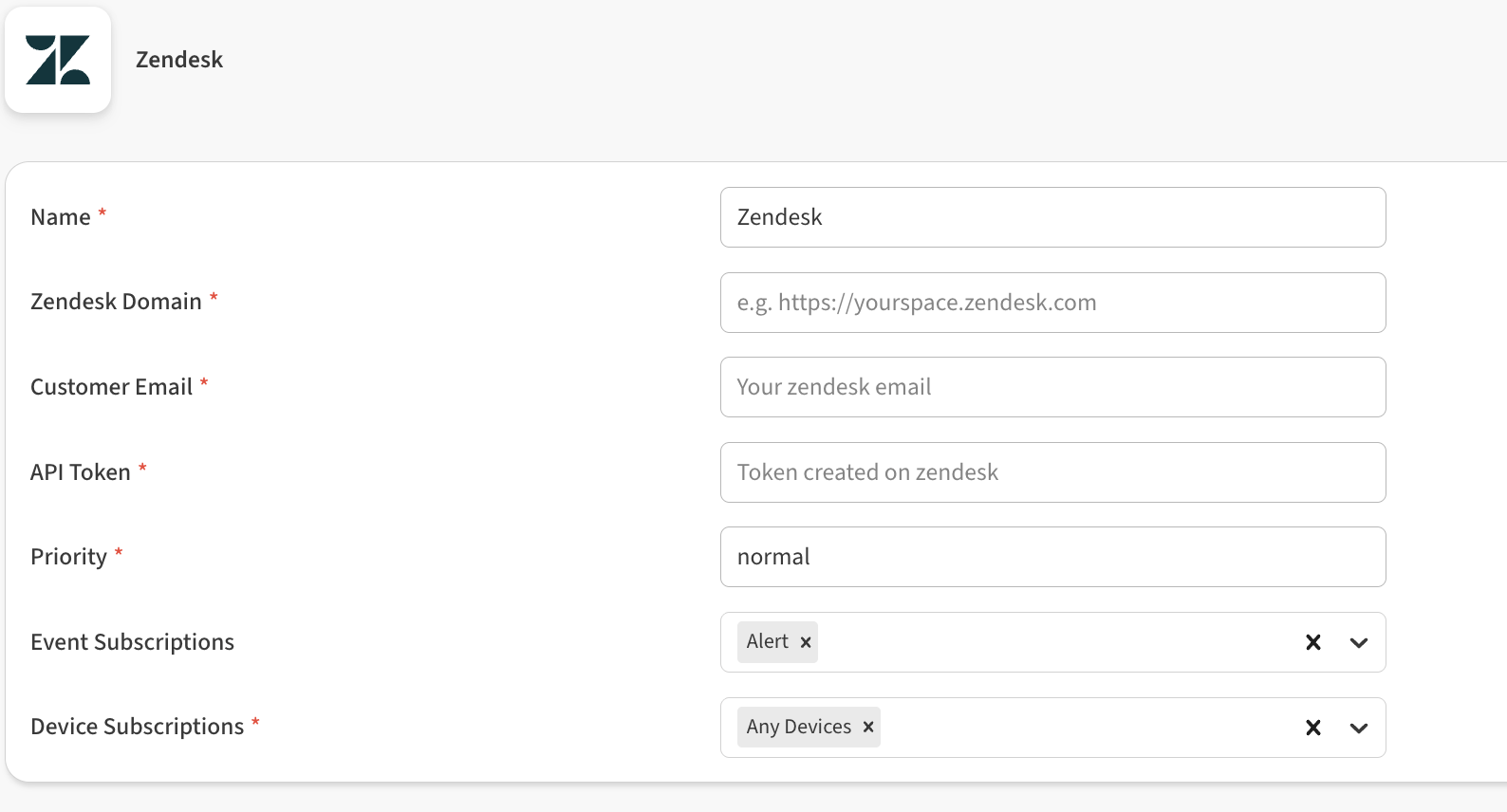
Fill in the settings fields to connect the integration to Zendesk.
-
Zendesk Domain: Enter your ZenDesk domain.
-
Customer Email: Enter your email used to login to your ZenDesk account.
-
API Token: Paste the api token created earlier.
-
Priority: Enter the priority for event tickets that will be created by the integration.
💡 Enter a priority of low, normal, high, or urgent. -
Event Subscriptions: In this field you can select whether your integration should pass sensor data received (uplink), gateway keepalive (ping), and alert events.
-
Device Subscriptions: In this field you can select specific devices for the integration to monitor. By default All Devices are selected.
-
-
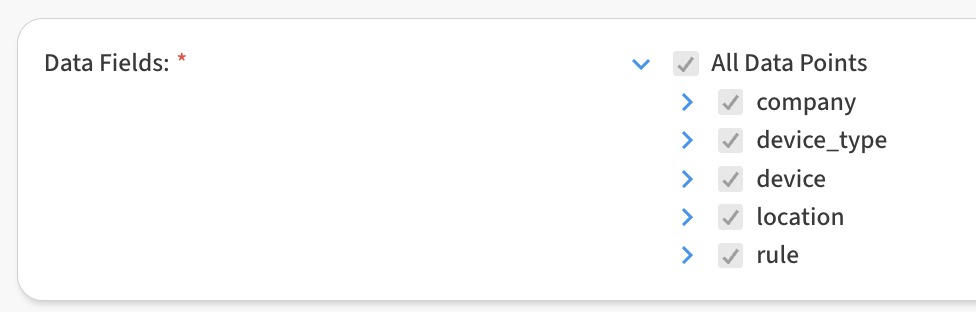
In the Data Fields area, you can customize the specific data points passed by the integration. By default all fields are selected.
-
Click Save Zendesk to finish.
After saving the Integration, you will see it shown in your list of integrations.
-
You can then edit the integration to make any changes needed.
-
You can also toggle the Integration on/off at any time from here as well. Disabling the integration will stop new data from being sent to the ZenDesk.
Verifying things are working
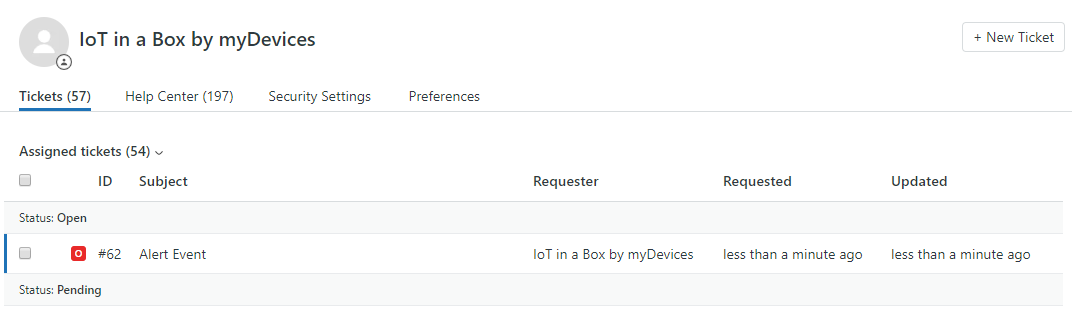
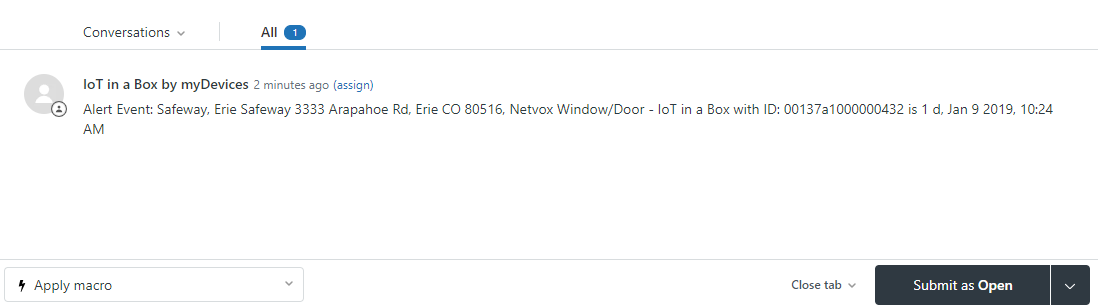
You can verify the integration is working by waiting for a new Alert event to occur. As soon as a new event occurs, an event ticket will get created within ZenDesk.