Activation
-
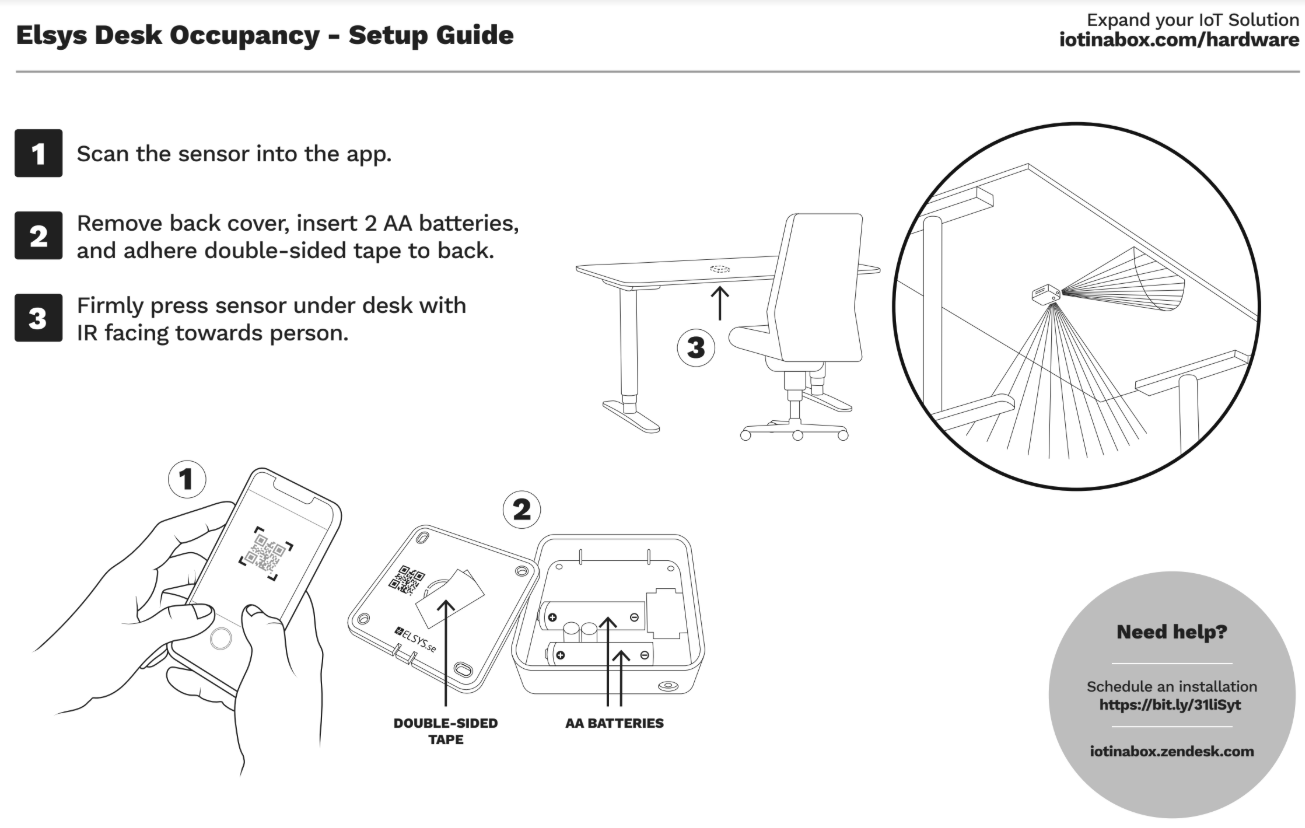
Open the case and insert the 3.6V AA batteries. This sensor can run off of 1 or 2 batteries, but if you want to run off only one, make sure it is in position A.
Please note that typical 1.5V Alkaline batteries won’t work with this sensor, it needs to be 3.6V AA
Reset
-
Remove the back panel of the sensor
-
Remove both batteries from the sensor
-
Wait one hour (we need to ensure the sensor loses power, and have noticed this model takes a very long time to lose power with no batteries)
-
Re-insert the batteries into the sensor and replace the back panel
Installation