
Turning On Device
To power the device ON, remove the cover of the enLink Status by unscrewing the two screws on the cover. Locate the power switch and using small screwdriver gently slide the power switch towards the ON position as shown.
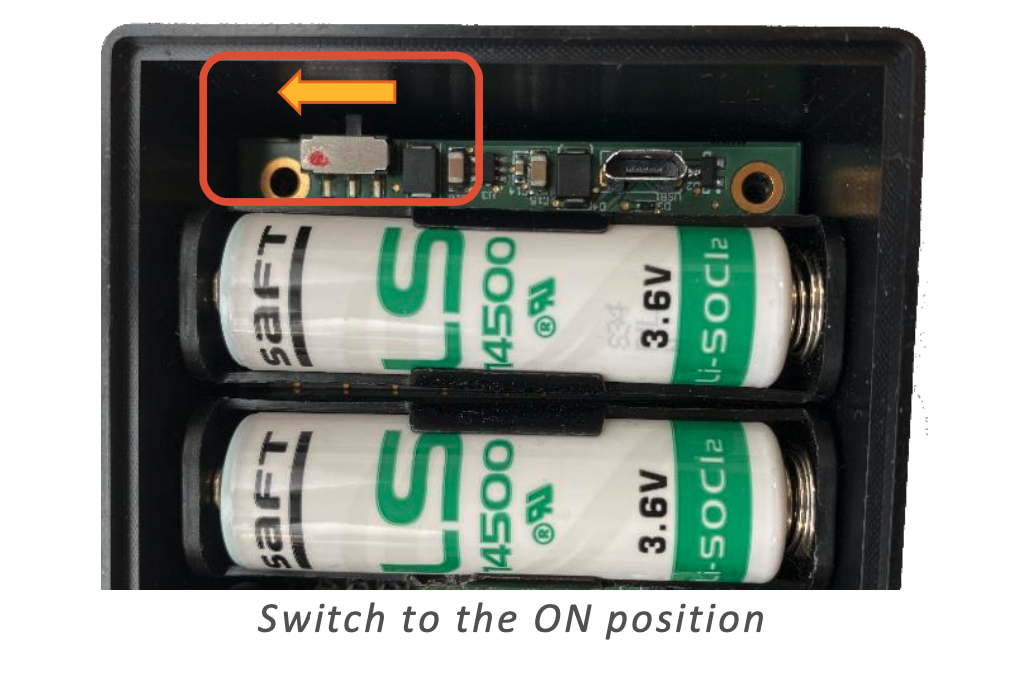
Switch to the ON position
Blinking Red LED – Attempting Join
The Mode LED will blink RED as shown below whilst the Join process is taking place. Depending on factors such as signal strength, RF interference etc. the join process may take several seconds to complete.
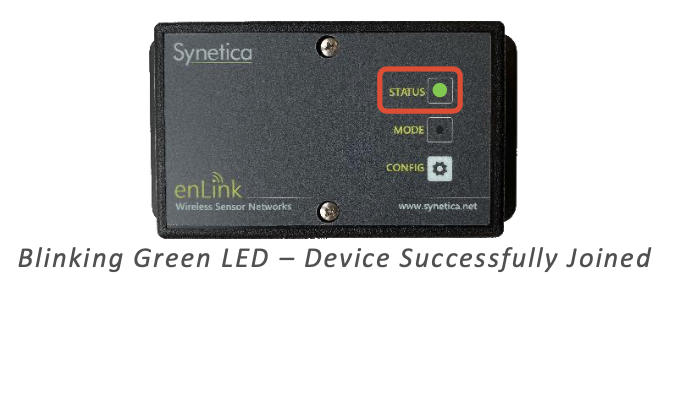
Blinking Green LED – Device Successfully Joined
When the device has successfully joined the network the Status LED will blink GREEN five times to show that the join has been completed. The LED’s will then switch off to conserve the batteries.
Calibrating Device
-
Install Devices
-
Unplug tubes
-
Let device run up to 24 hours
-
Take the average of the data collected to create a baseline
-
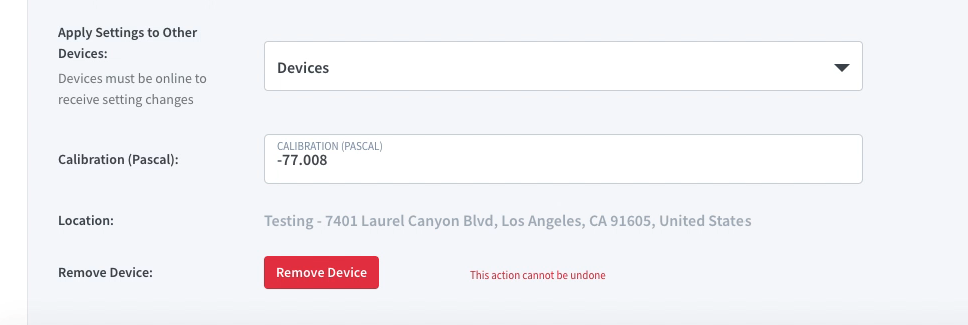
Enter the negative average in Device Settings: Calibration (Pascal)